Menerima pesan
4 min read
Gunakan panduan ini saat pesan pelanggan tidak sampai ke inbox, autoreply, atau webhook Anda.
Pesan masuk tidak muncul di inbox
Periksa handler masuk pada device:
Setiap device WhatsApp, WABA, dan Telegram memiliki tepat satu mode masuk. Buka dialog edit device dan konfirmasi On incoming message sesuai tempat Anda mengharapkan balasan:
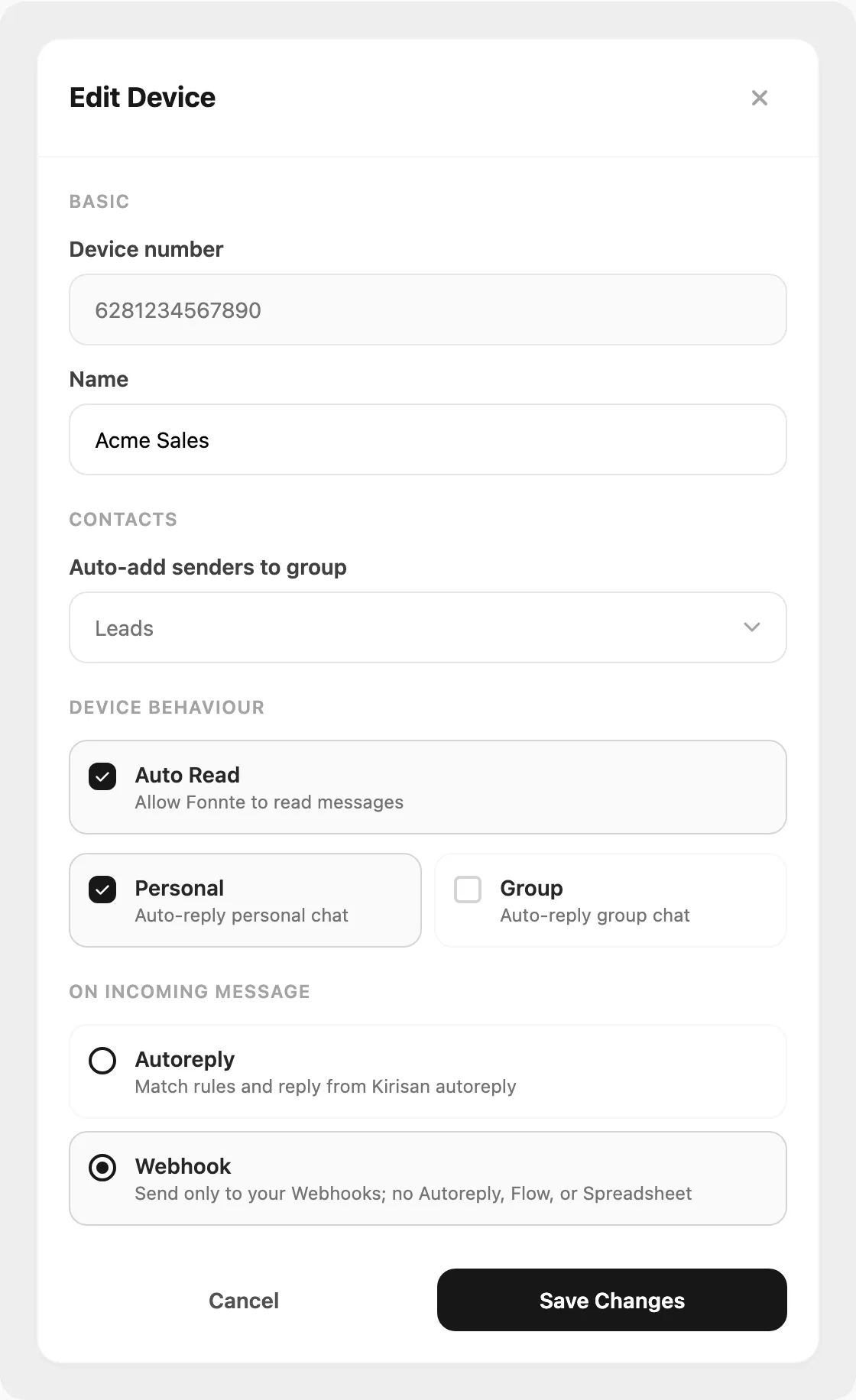
Data sampel ditampilkan.
| Pengaturan | Ke mana pesan pergi |
|---|---|
| Autoreply | Menjalankan aturan kata kunci di Autoreply → Rules |
| Flow | Menjalankan alur percakapan yang terhubung |
| Spreadsheet | Mencari balasan di Google Sheet yang terhubung |
| Webhook | Mengirim JSON ke endpoint Anda — tidak menyimpan ke inbox |
Jika On incoming message disetel ke Webhook, pesan tidak muncul di inbox dashboard. Beralih ke Autoreply (atau handler lain) jika Anda butuh visibilitas inbox. Lihat Webhook jika webhook itu sendiri yang bermasalah.
Inbox WhatsApp tidak menampilkan pesan
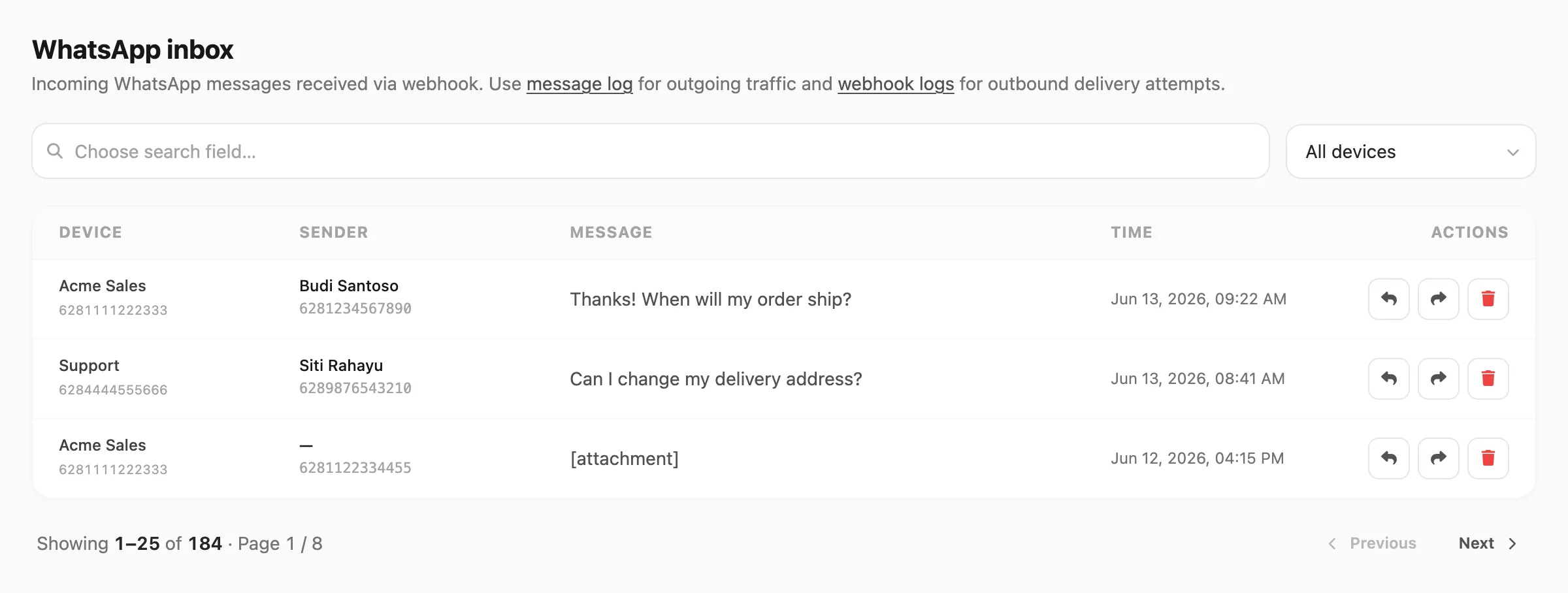
Data sampel ditampilkan.
- Buka Channel → WhatsApp → Inbox.
- Konfirmasi Device yang benar dipilih di filter — setiap device punya riwayat pesan sendiri.
- Konfirmasi Status device adalah
connectdi Channel → WhatsApp → Devices. Device terputus tidak menerima lalu lintas masuk. - Konfirmasi On incoming message bukan disetel ke Webhook pada device ini (lihat di atas).
- Kirim pesan uji dari ponsel asli ke nomor WhatsApp dan tunggu beberapa detik, lalu refresh Inbox.
Bot Telegram tidak menerima pesan
- Buka Channel → Telegram → Devices dan konfirmasi baris bot ada dan terdaftar dengan sukses.
- Periksa bahwa orang yang mengirim pesan ke bot menggunakan
@usernameyang benar. - Buka Channel → Telegram → Inbox — pesan muncul di sini saat device menggunakan Autoreply, Flow, atau Spreadsheet sebagai handler masuk.
- Jika inbox kosong dan autoreply tidak aktif, buka Edit pada baris device dan konfirmasi On incoming message tidak disetel ke Webhook (kecuali Anda memang menginginkan pengiriman webhook).
Masuk WABA tidak dirutekan dengan benar
- Buka Channel → WABA → Devices dan klik Edit pada nomor.
- Di bawah When someone messages you, konfirmasi handler sesuai harapan (Autoreply, Flow, Spreadsheet, atau Webhook).
- Buka Channel → WABA → Inbox dan filter menurut nomor — jika pesan muncul di sana, device menerimanya; pengaturan handler mengontrol apa yang terjadi selanjutnya.
- Device WABA menggunakan Autoreply atau Flow untuk respons berbasis aturan. Untuk pengiriman webhook, lihat Webhook.
Autoreply tidak membalas pesan masuk
- Buka Autoreply → Rules dan konfirmasi setidaknya satu aturan Active untuk device yang bersangkutan.
- Periksa Keyword dan Logic (exact, contains, starts with, ends with) — uji dengan pesan yang persis cocok dengan kondisi aturan.
- Konfirmasi aturan terhubung ke device yang benar. Aturan yang terhubung ke device A tidak aktif untuk device B.
- Jika autoreply aktif tetapi balasan tidak terkirim, buka Channel → WhatsApp → Logs (atau log channel terkait) dan cari baris kirim — mungkin gagal karena kuota atau paket. Lihat Mengirim pesan.
Jumlah baca selalu 0 di Statistics
Tanda baca tergantung channel dan pengaturan penerima:
- WhatsApp — tanda baca tidak dijamin;
0wajar di banyak konfigurasi. - WABA — tanda baca memerlukan webhook Message status. Aktifkan event di Webhooks → Webhook dan lihat Payload message status.
- Telegram — status baca tidak dilaporkan.
- Email — pelacakan buka ada di Channel → Email → Statistics, bukan Logs → Statistics.
Terkait
- Koneksi — device tidak terhubung
- Mengirim pesan — kegagalan pengiriman keluar
- Webhook — event masuk ke server Anda
- Referensi inbox WhatsApp — kolom dan filter
- Referensi autoreply — pengaturan aturan dan logika