Suppression email
Buka Channel → Email → Suppression.
Fungsi halaman ini
Daftar suppression — alamat email yang Kirisan tidak akan kirim lagi (alamat buruk, keluhan spam, unsubscribe, dan sejenisnya).
Jika alamat ada di daftar ini, Kirisan menghentikan pengiriman sebelum keluar. Anda bisa melihat daftar di sini tetapi tidak bisa menambah atau menghapus alamat sendiri — Kirisan memperbaruinya otomatis saat ada masalah dengan pengiriman.
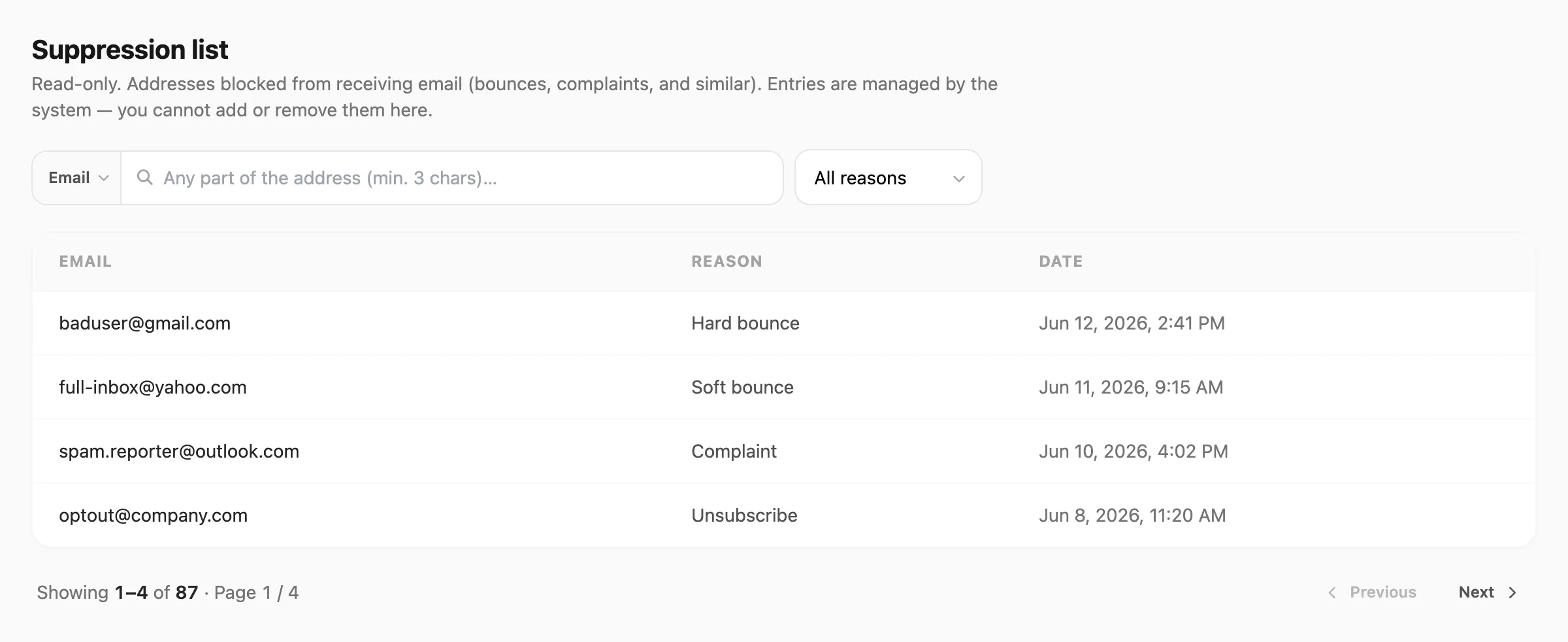
Data sampel ditampilkan.
Pencarian dan filter
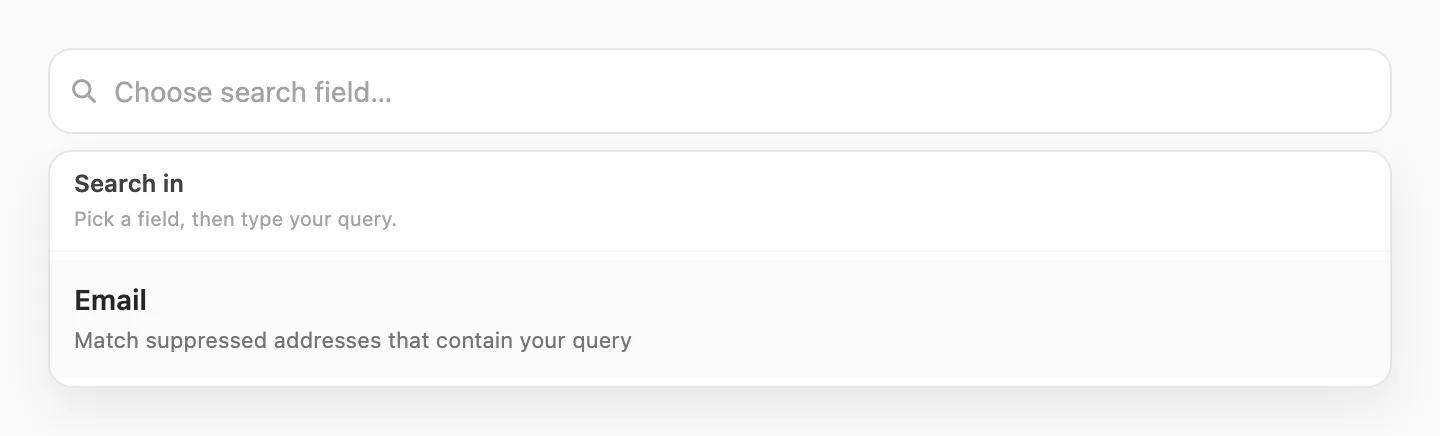
Gunakan pencarian dan dropdown Reason untuk mempersempit daftar. Kirisan memuat ulang tabel saat Anda mengubah salah satunya (25 baris per halaman).
| Langkah | Yang terjadi |
|---|---|
| 1. Klik pencarian | Popup Search in terbuka — pilih Email |
| 2. Ketik | Kirisan menemukan alamat yang cocok saat Anda mengetik |
| 3. Reason (opsional) | Tampilkan hanya satu jenis blok — All reasons secara default |

| Kontrol | Fungsi |
|---|---|
| Pencarian Email | Alamat yang mengandung yang Anda ketik (misalnya gmail.com atau budi) |
| Reason | All reasons, Hard bounce, Soft bounce, Complaint, Unsubscribe, atau Manual |
Ketik minimal 3 karakter untuk mencari. Reason bekerja bersama pencarian dan paginasi.
Tabel suppression
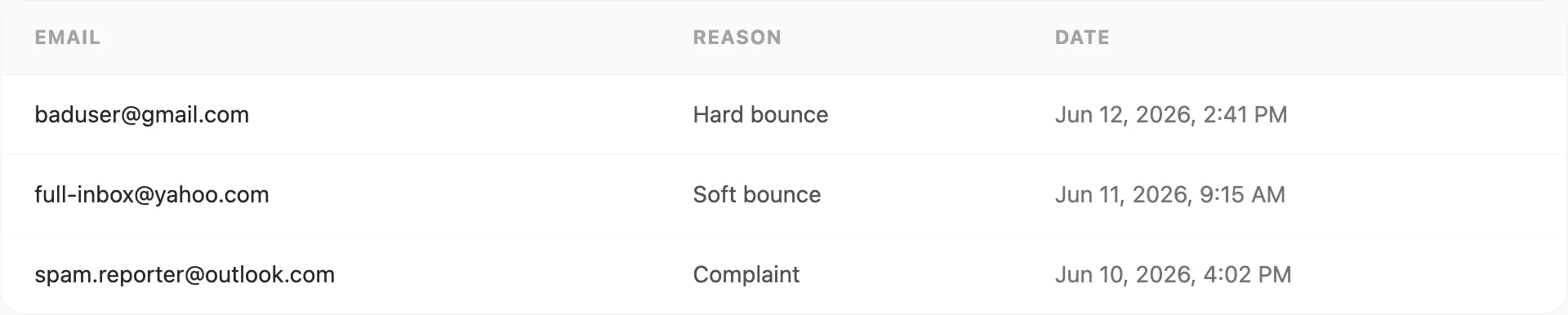
Setiap baris adalah satu alamat diblokir di akun Anda:
| Kolom | Arti |
|---|---|
| Alamat yang diblokir | |
| Reason | Mengapa diblokir (lihat Arti setiap alasan) |
| Date | Kapan Kirisan menambahkannya ke daftar |
Tidak ada tombol di setiap baris — halaman ini untuk mencari alamat diblokir, bukan mengubahnya.
Arti setiap alasan
| Reason | Dalam bahasa sederhana | Berapa lama |
|---|---|---|
| Hard bounce | Alamat tidak valid atau tidak bisa dijangkau permanen (misalnya “user does not exist”) | Tetap diblokir |
| Soft bounce | Mailbox mengalami masalah sementara (misalnya inbox penuh atau server sibuk) | Diblokir sekitar 24 jam; setelah 3 masalah sementara, Kirisan memperlakukannya sebagai hard bounce |
| Complaint | Penerima menandai email Anda sebagai spam | Tetap diblokir |
| Unsubscribe | Penerima mengklik Unsubscribe di email Anda | Tetap diblokir |
| Manual | Diblokir oleh dukungan Kirisan atas nama Anda | Tetap diblokir |
Hard bounce vs soft bounce
- Hard bounce — “Alamat ini tidak valid; jangan kirim lagi.”
- Soft bounce — “Tidak dapat mengirim sekarang; coba lagi nanti.” Kirisan menjeda pengiriman sekitar sehari agar Anda tidak terus mengirim ke inbox penuh.
Jika alamat yang sama terus mengalami masalah sementara, Kirisan mengupgrade ke Hard bounce.
Hubungan dengan Logs dan Statistics
Logs dan Statistics menampilkan pengiriman individual dan total. Suppression menampilkan alamat mana yang diblokir.
| Situasi | Tempat Anda biasanya melihatnya |
|---|---|
| Alamat buruk tertangkap saat mengirim | Failed di Logs, sering Hard bounce di sini |
| Email terlihat terkirim, lalu bounce kembali nanti | Mungkin masih Sent di Logs; Soft bounce atau Hard bounce di sini |
| Penerima melaporkan spam | Complaint di sini; dihitung di Statistics |
| Penerima unsubscribe | Unsubscribe di sini |
Contoh: Anda mengirim ke notreal@gmail.com dan Kirisan menolak langsung → Failed di Logs dan Hard bounce di halaman ini — bukan Soft bounce.
Beberapa pengiriman gagal sementara (misalnya server pihak lain sibuk). Itu mungkin Failed di Logs tetapi tidak muncul di sini sampai Kirisan mendapat bounce yang jelas.
Detail lebih lanjut: Statistics → Bounced vs failed.
Paginasi
Daftar panjang dibagi per halaman — gunakan Previous dan Next di bawah tabel:

Contoh: Showing 1–25 of 87 · Page 1 / 4. Pencarian dan filter alasan diterapkan ke seluruh daftar sebelum paging.
Tips
- Setelah mengimpor daftar kontak, filter Hard bounce untuk melihat alamat buruk yang Kirisan hapus otomatis.
- Filter Soft bounce untuk melihat blok sementara — kebanyakan hilang setelah sekitar sehari kecuali alamat terus gagal.
- Cari berdasarkan domain (misalnya
@acme.com) untuk meninjau blok untuk satu perusahaan atau daftar. - Gunakan Statistics untuk tingkat bounce dan keluhan keseluruhan; gunakan Suppression untuk alamat persis yang diblokir.
- Alamat Failed di Logs tetapi tidak ada di sini? Periksa lagi sebentar — Kirisan mungkin masih mencatat blok.
Terkait
- Statistics — kesehatan deliverability dan “apakah saya bisa mengirim?”
- Logs — setiap pengiriman dan apakah berhasil atau gagal
- Emails — alamat pengiriman Anda