Statistik WABA
Buka Channel → WABA → Statistics.
Fungsi halaman ini
Aktivitas keluar teragregasi khusus WhatsApp Cloud API (WABA) — volume pengiriman, tingkat pengiriman dan kegagalan, tren harian, jenis pengiriman teratas, dan volume per nomor terhubung.
Gunakan Logs untuk pengiriman individual (penerima, pratinjau pesan, teks error). Statistik menampilkan total dan tren untuk jendela waktu yang dipilih.
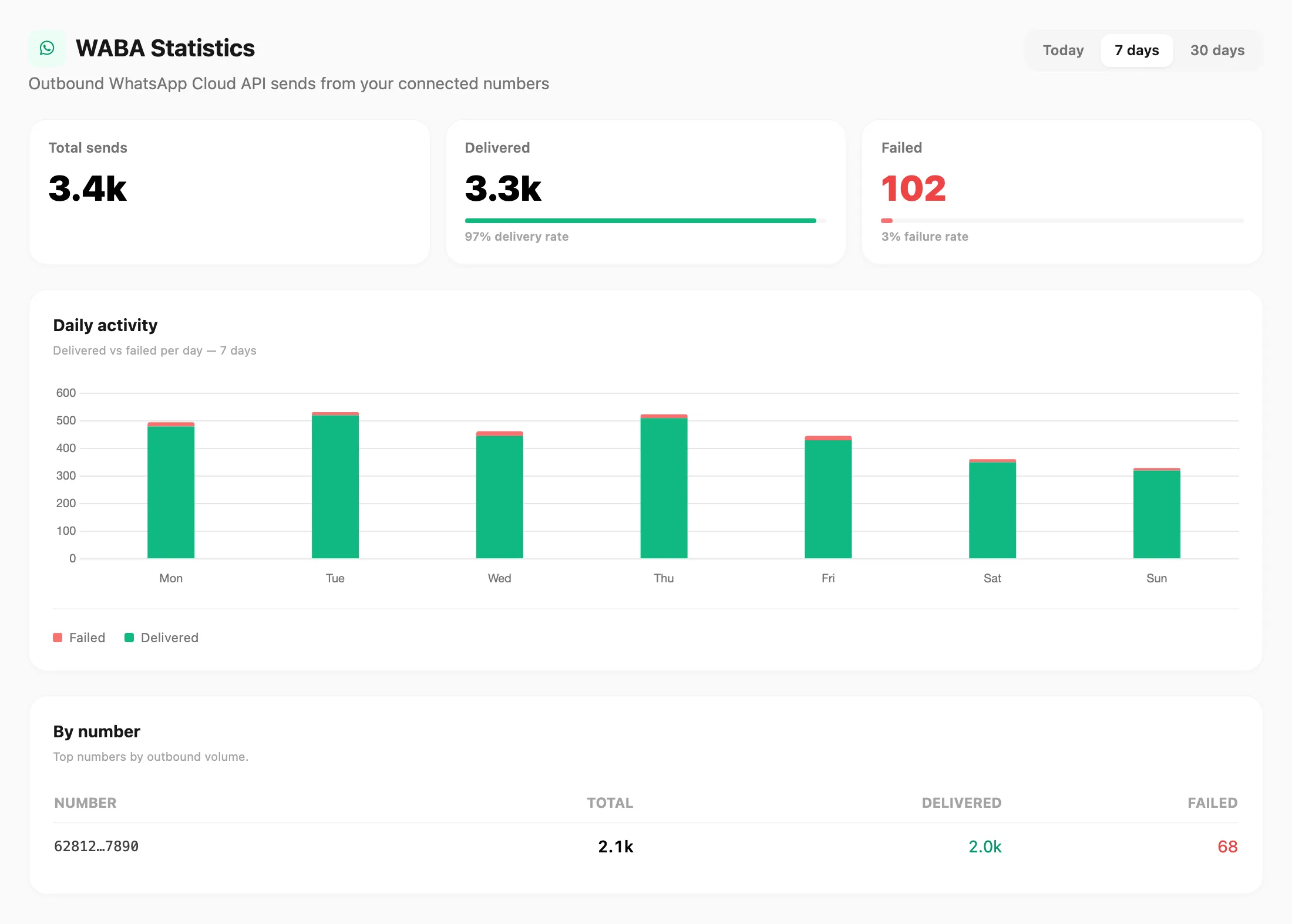
Data sampel ditampilkan.
| Kontrol header | Fungsi |
|---|---|
| Today / 7 days / 30 days | Mengubah jendela waktu untuk semua nomor di halaman |
Kartu KPI
Tiga kartu di bagian atas:
| KPI | Arti |
|---|---|
| Total sends | Setiap upaya pengiriman WABA keluar dalam jendela |
| Delivered | Pesan template atau sesi yang tercatat terkirim — termasuk bilah delivery rate hijau |
| Failed | Pengiriman yang gagal atau hanya terkirim sebagian — termasuk bilah failure rate merah |
Aktivitas harian
Setiap hari adalah bilah bertumpuk:
| Segmen | Warna | Posisi |
|---|---|---|
| Failed | Merah | Atas bilah |
| Delivered | Hijau | Bawah bilah |
Arahkan kursor ke bilah untuk melihat total hari dan jumlah Delivered / Failed di tooltip. Legenda mencantumkan Failed terlebih dahulu, lalu Delivered.
Pada 30 days, grafik digulir horizontal jika ada banyak bilah.
Jenis pengiriman teratas
Daftar peringkat Direct send vs batch Campaign bernama, dengan bagian volume dan jumlah total.
Per nomor
Tabel nomor Cloud API teratas berdasarkan volume keluar:
| Kolom | Arti |
|---|---|
| Number | Pengenal nomor telepon terhubung |
| Total | Semua upaya pengiriman dari nomor tersebut |
| Delivered | Pengiriman berhasil |
| Failed | Pengiriman gagal atau sebagian |
Tampilan lintas channel
Untuk WABA bersama WhatsApp, Telegram, dan email, buka Logs → Statistics atau lihat Statistics.
Terkait
- Logs — riwayat per pengiriman dan pencarian
- Devices — hubungkan nomor dengan Meta
- Templates — template pesan yang disetujui
- Statistics — Logs → Statistics (semua channel)