Tagihan WABA
Buka Billing → Order untuk paket Kirisan, atau baca halaman ini untuk biaya percakapan Meta di WhatsApp Cloud API (WABA).
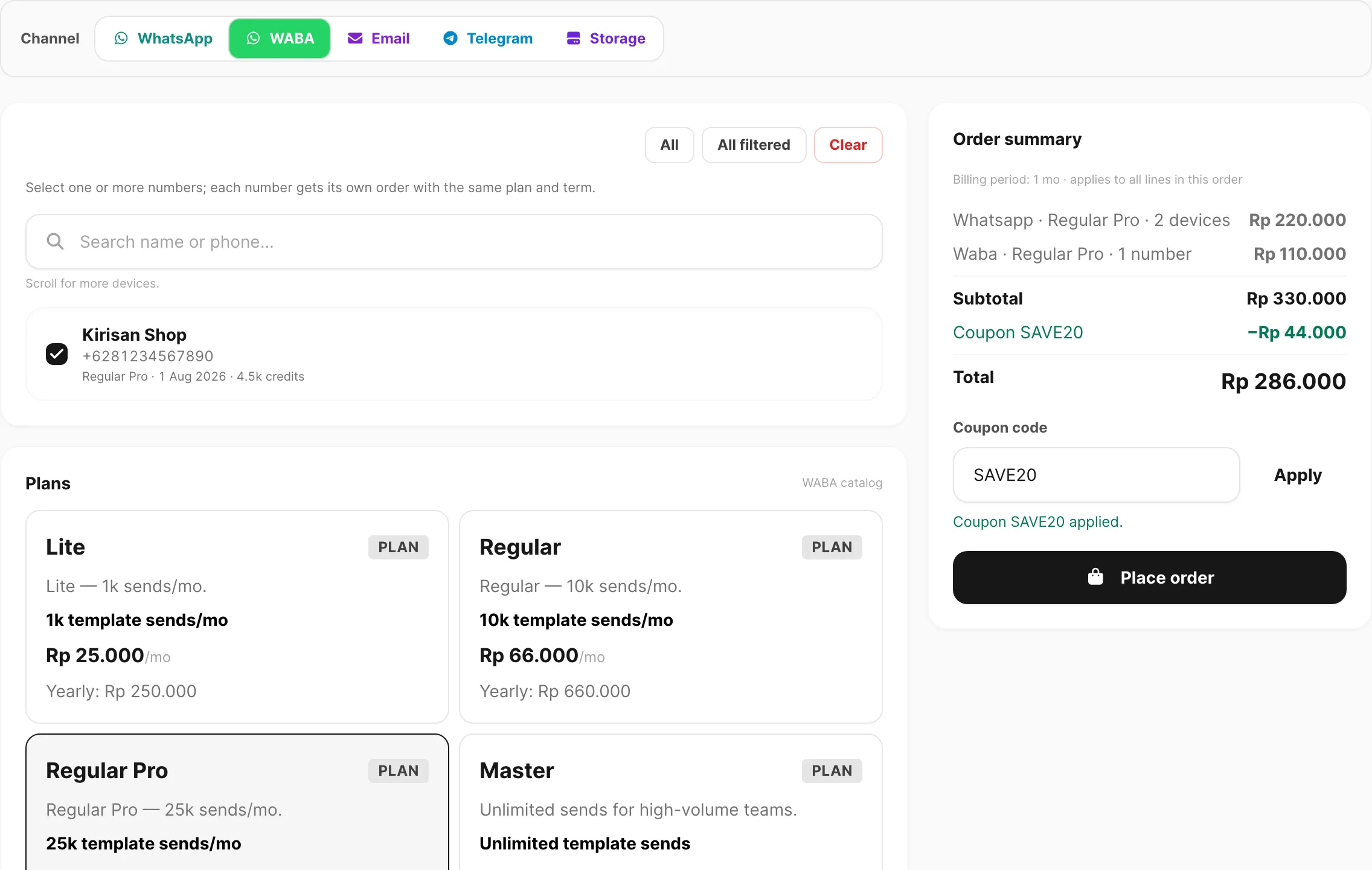
Data sampel ditampilkan.
Fungsi halaman ini
WABA memiliki dua lapisan biaya terpisah:
| Lapisan | Siapa yang menagih | Apa yang Anda beli |
|---|---|---|
| Paket Kirisan | Kirisan — Billing → Order → tab WABA | Kuota kirim template dan fitur device untuk setiap nomor terhubung |
| Biaya percakapan Meta | Meta (WhatsApp) | Biaya per percakapan saat Anda mengirim pesan ke pelanggan di luar jendela layanan pelanggan gratis |
Order Kirisan tidak mencakup faktur percakapan Meta. Meta menagih WhatsApp Business Account Anda langsung sesuai harga percakapan Meta.
Paket WABA Kirisan (Billing → Order)
- Buka Billing → Order dan pilih tab WABA.
- Centang nomor yang ingin Anda upgrade atau perpanjang.
- Pilih paket katalog dan periode tagihan.
- Selesaikan checkout seperti baris channel lainnya.
Lihat Place an order untuk Order summary, kupon, dan alur checkout lengkap. Untuk kredit, perpanjangan, perubahan paket, dan masa berlaku setelah pembayaran, lihat Plans and quota.
Saat nomor beralih dari gratis ke berbayar melalui Order, Kirisan menghapusnya dari slot active free device secara otomatis — paket berbayar mendapat kuota sendiri.
Biaya percakapan Meta
Meta menagih berdasarkan kategori percakapan (misalnya marketing, utility, authentication, service) dan negara. Pemicu umum:
- Anda memulai percakapan bisnis dengan template disetujui di luar jendela layanan pelanggan 24 jam.
- Meta mengklasifikasikan percakapan ke kategori yang ditagih untuk wilayah tersebut.
Kirisan menampilkan lalu lintas WABA keluar di Channel → WABA → Logs dan Logs → History. Log WABA juga menampilkan perkiraan biaya Meta per pesan (setelah status delivered) — ini estimasi dari tarif publik WhatsApp, bukan faktur resmi. Faktur percakapan Meta tetap di Meta Business Suite.
Untuk tanda terima pengiriman pesan WABA keluar, konfigurasikan Message status di Webhooks dan lihat Message status payload.
Free tier dan device aktif
Pada free tier, hanya satu nomor WABA per akun yang dapat mengirim pada satu waktu. Setiap nomor baru dimulai dengan 1.000 kredit dan jendela gratis 30 hari. Alihkan slot di Channel → WABA → Devices dengan Use as active free device (aksi bintang) — paling banyak sekali setiap 7 hari. Lihat WABA devices dan Plans and quota.
Terkait
- Plans and quota — free tier, perpanjangan, perubahan paket, dan masa berlaku
- Place an order — beli atau perpanjang paket template WABA
- WABA devices — hubungkan nomor dan kelola slot gratis
- WABA templates — tata letak pesan disetujui Meta
- Checkout — bayar setelah membuat order