Settings & support
Pengaturan akun
Buka Account → Settings.
Perbarui detail profil dan preferensi yang ditampilkan di dashboard. Salin API token di sini untuk Send API publik — lihat Authentication. Keluar dari sini saat memakai komputer bersama. Akses akun terikat ke sign-in Google Anda — tidak ada password Kirisan terpisah yang bisa diubah di sini.
Profile
Tab Profile berisi display name, nomor WhatsApp, country code, dan timezone. Email disinkronkan dari Google dan hanya bisa dibaca di sini.
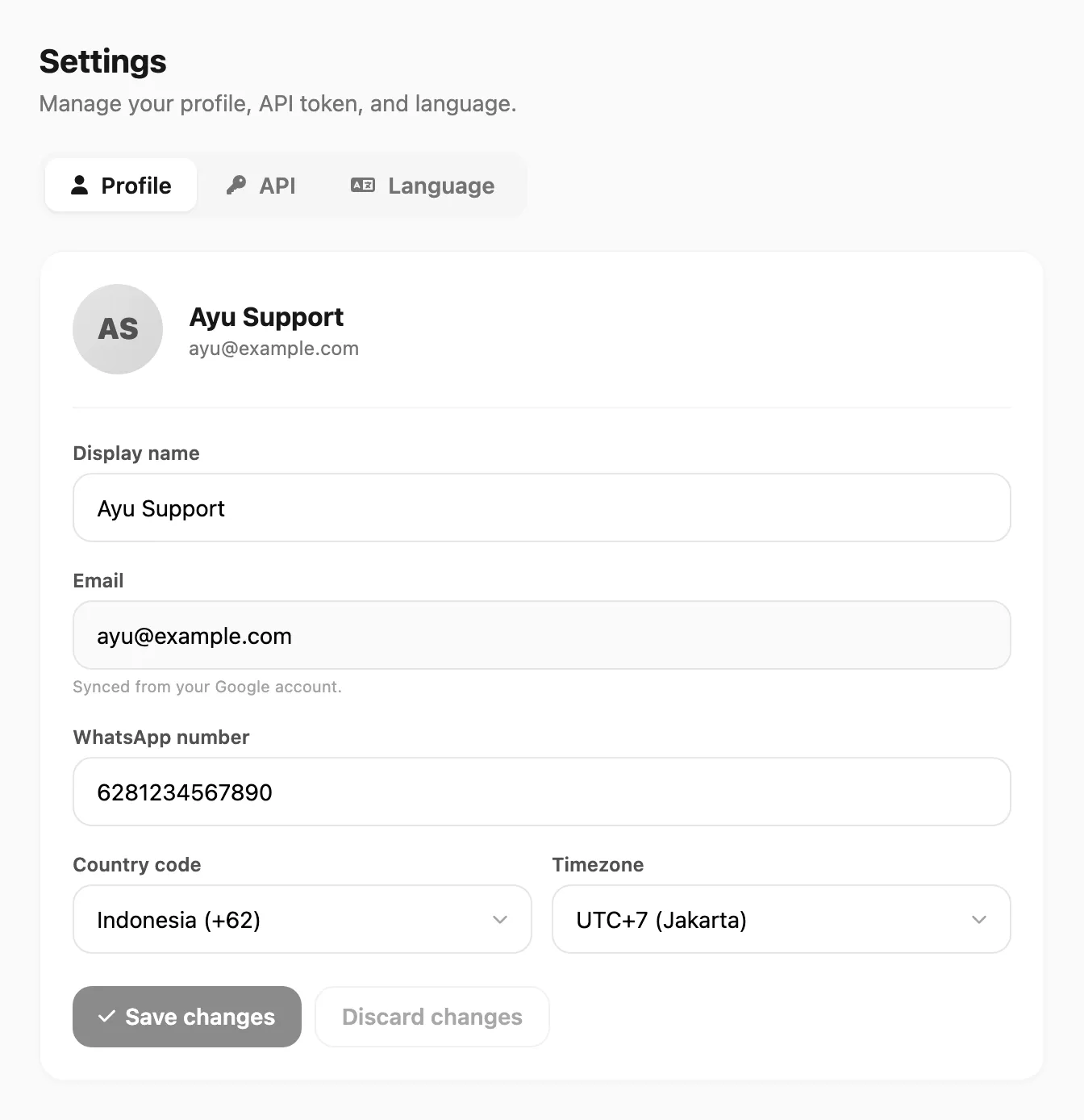
Data sampel ditampilkan.
| Kontrol | Fungsi |
|---|---|
| Display name | Nama yang ditampilkan di dashboard |
| Email akun Google (hanya baca) | |
| WhatsApp number | Nomor kontak opsional; awalan 0 dinormalisasi dengan country code saat simpan |
| Country code | Kode negara untuk nomor telepon/WhatsApp |
| Timezone | Offset UTC untuk stempel waktu akun |
| Save changes / Discard changes | Terapkan atau batalkan perubahan |
API token
Buka tab API untuk menampilkan, menyalin, atau meregenerasi token akun. Jaga kerahasiaannya — siapa pun yang punya token dapat mengirim atas nama akun Anda.
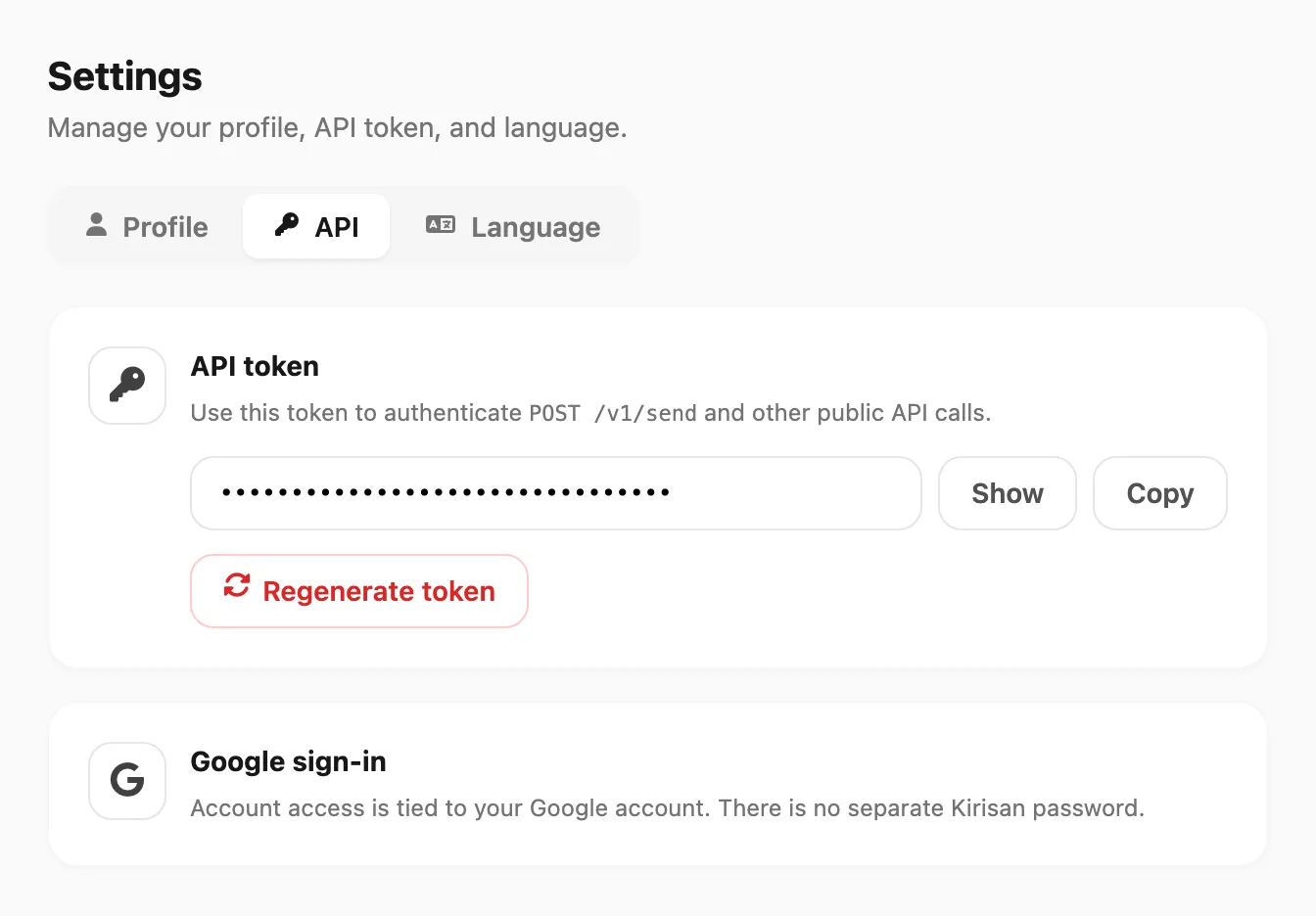
Data sampel ditampilkan.
| Kontrol | Fungsi |
|---|---|
| Show / Hide | Tampilkan atau sembunyikan token |
| Copy | Salin token ke clipboard |
| Regenerate token | Terbitkan token baru; token lama langsung berhenti berlaku |
| Google sign-in | Tautan ke pengaturan Google Account |
Support
Untuk dukungan produk, gunakan pusat bantuan ini dan saluran di bawah. Sertakan saat menghubungi kami:
- Email akun Anda
- Device atau channel yang terpengaruh
- Perkiraan waktu masalah terjadi
- Screenshot dari Logs jika pengiriman gagal
Sumber bantuan
| Sumber | Lokasi |
|---|---|
| Pusat bantuan ini | docs.kirisan.com |
| Tutorial YouTube | Tautan dari Account → YouTube di sidebar |
| Situs marketing | kirisan.com |
Terkait
- Tim — undang rekan kerja dan atur akses mereka
- Dashboard tour — setiap layar sidebar dijelaskan
- Authentication — token akun untuk Send API