Variabel pesan
Buka Resources → Variables.
Kegunaan halaman ini
Variables adalah referensi untuk setiap placeholder yang dapat Kirisan substitusi saat pengiriman — token time yang diselesaikan server, konstanta custom seluruh akun, dan pintasan incoming dari pesan masuk.
Gunakan halaman ini saat menulis template, respons autoreply, teks Flow, sel spreadsheet, atau payload webhook. Salin token langsung dari dashboard — setiap baris memiliki tombol copy.
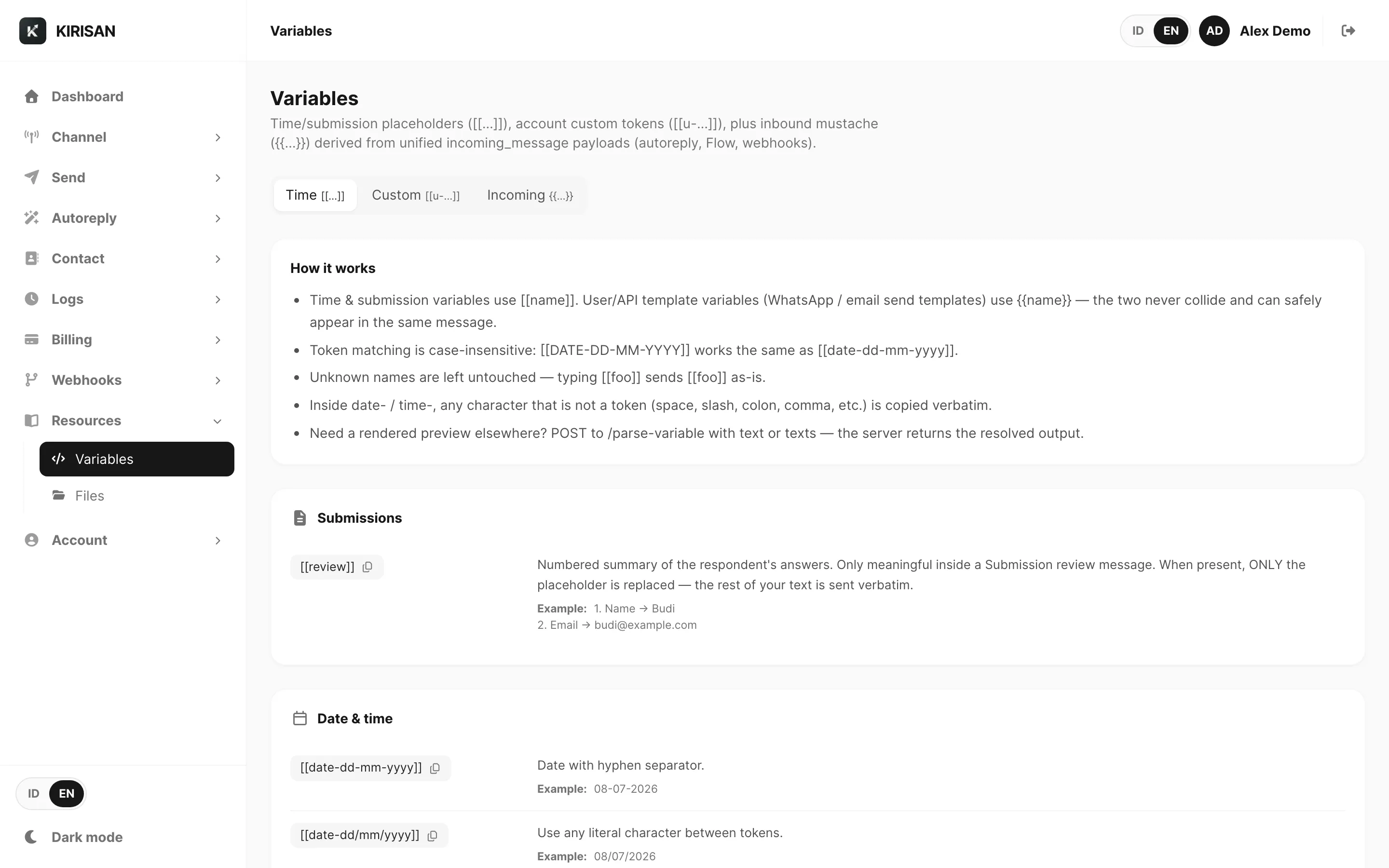
Contoh data ditampilkan.
Halaman memiliki tiga tab:
| Tab | Sintaks | Tujuan |
|---|---|---|
| Time | [[date-…]], [[time-…]], [[dow]], [[review]], … | Token tanggal, waktu, dan submission yang diselesaikan server |
| Custom | [[u-name]] | Placeholder key–value seluruh akun Anda (kelola daftar di sini) |
| Incoming | {{message}}, {{sender}}, {{name}}, … | Pintasan envelope inbound untuk autoreply, Flow, dan webhook |
Tab Time
Tab Time mencantumkan setiap token bawaan [[…]] yang Kirisan selesaikan di server saat pesan dikirim.
| Grup | Token | Kapan digunakan |
|---|---|---|
| Submissions | [[review]] | Ringkasan bernomor jawaban responden — hanya di dalam review message Submission |
| Date & time | [[date-dd-mm-yyyy]], [[time-hh:mm]], [[dow]], [[tod]], … | Baris sapaan, stempel waktu, logika hari dalam minggu |
Cara kerja token time
- Pencocokan token tidak peka huruf besar/kecil —
[[DATE-DD-MM-YYYY]]sama dengan[[date-dd-mm-yyyy]]. - Nama tidak dikenal dibiarkan apa adanya —
[[foo]]dikirim apa adanya. - Di dalam prefiks
date-/time-, karakter apa pun yang bukan token format (spasi, slash, titik dua, koma, dll.) disalin verbatim. - Token time
[[…]]tidak pernah bentrok dengan field merge{{name}}per penerima dari Send → Send atau Send API.
Dashboard menampilkan contoh langsung di samping setiap token (diperbarui setiap detik). Gulir ke bawah untuk tabel referensi Date & time format tokens dan blok Example pesan lengkap.
Pola umum:
| Token | Contoh output |
|---|---|
[[date-dd-mm-yyyy]] | 25-06-2026 |
[[date-mmmm dd, yyyy]] | june 25, 2026 |
[[time-hh:mm]] | 14:30 |
[[dow]] | Thursday |
[[tod]] | afternoon (15–17) |
Variabel custom
Beralih ke tab Custom untuk mendefinisikan konstanta seluruh akun sebagai token [[u-<name>]].
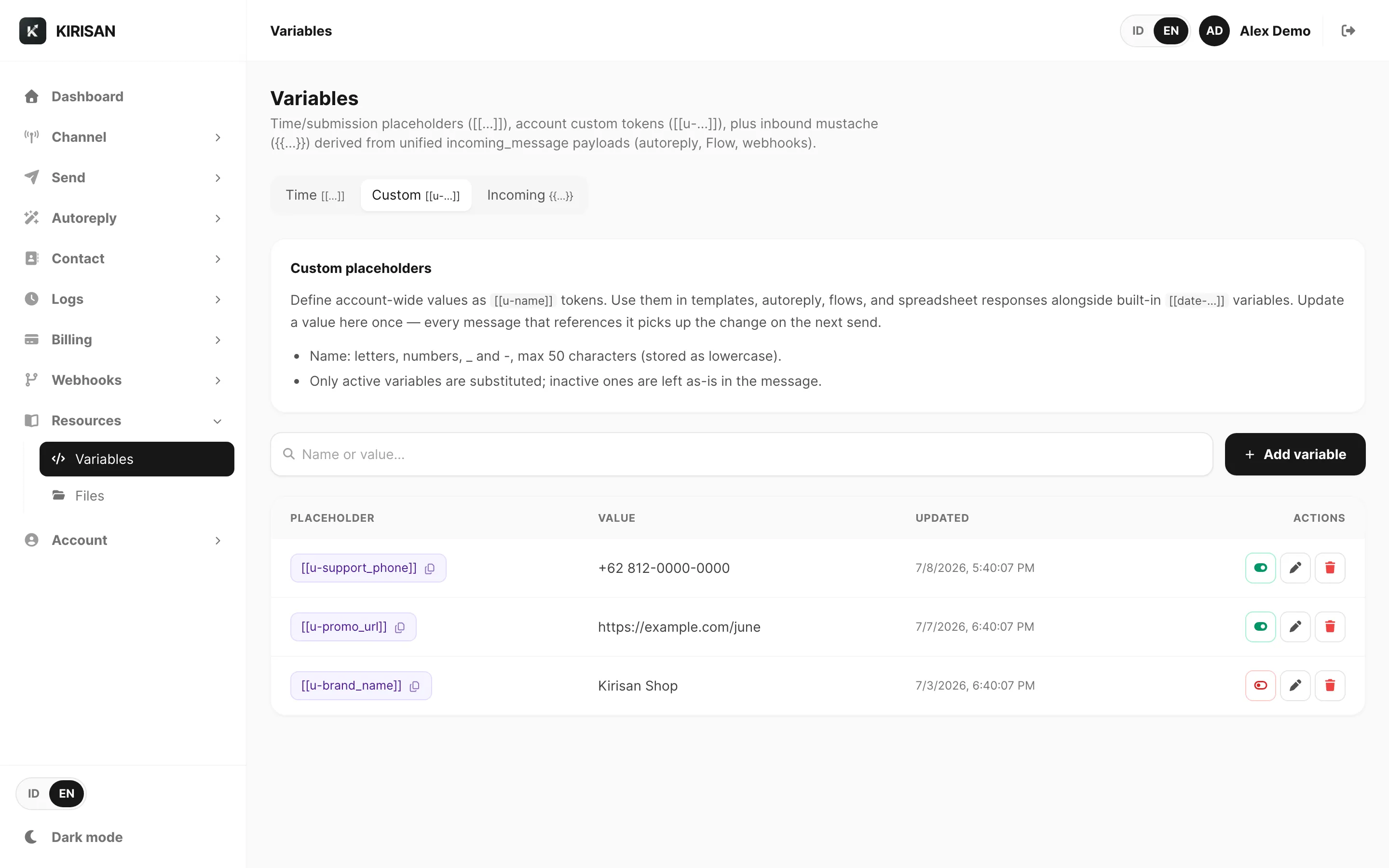
Contoh data ditampilkan.
| Kontrol | Fungsi |
|---|---|
| Add variable | Buat pasangan nama + nilai baru |
| Search | Filter menurut nama atau nilai |
| Placeholder (chip violet) | Klik untuk menyalin [[u-…]] |
| Active toggle | Hanya variabel active yang disubstitusi; yang inactive tetap literal di pesan |
| Edit / Delete | Perbarui atau hapus baris |
Aturan penamaan
- Nama: huruf, angka,
_dan-, maksimal 50 karakter (disimpan lowercase). - Setiap nama menjadi
[[u-<name>]]— misalnyasupport_phone→[[u-support_phone]].
Contoh
| Nama | Nilai |
|---|---|
support_phone | +62 812-0000-0000 |
promo_url | https://example.com/june |
Di template atau pesan autoreply:
Questions? WhatsApp us at [[u-support_phone]] or visit [[u-promo_url]]Perbarui nilai di tab Custom sekali — setiap pesan yang mereferensikan token memakai nilai baru pada pengiriman berikutnya.
Token custom memakai prefiks [[u-…]] sehingga tidak bentrok dengan token bawaan [[date-…]] atau field {{name}} per penerima dari pengiriman.
Tab Incoming
Tab Incoming mendokumentasikan pintasan {{…}} dari envelope JSON incoming_message terpadu Kirisan — bentuk yang sama dipakai autoreply, Flow, Webhooks, dan uji webhook.
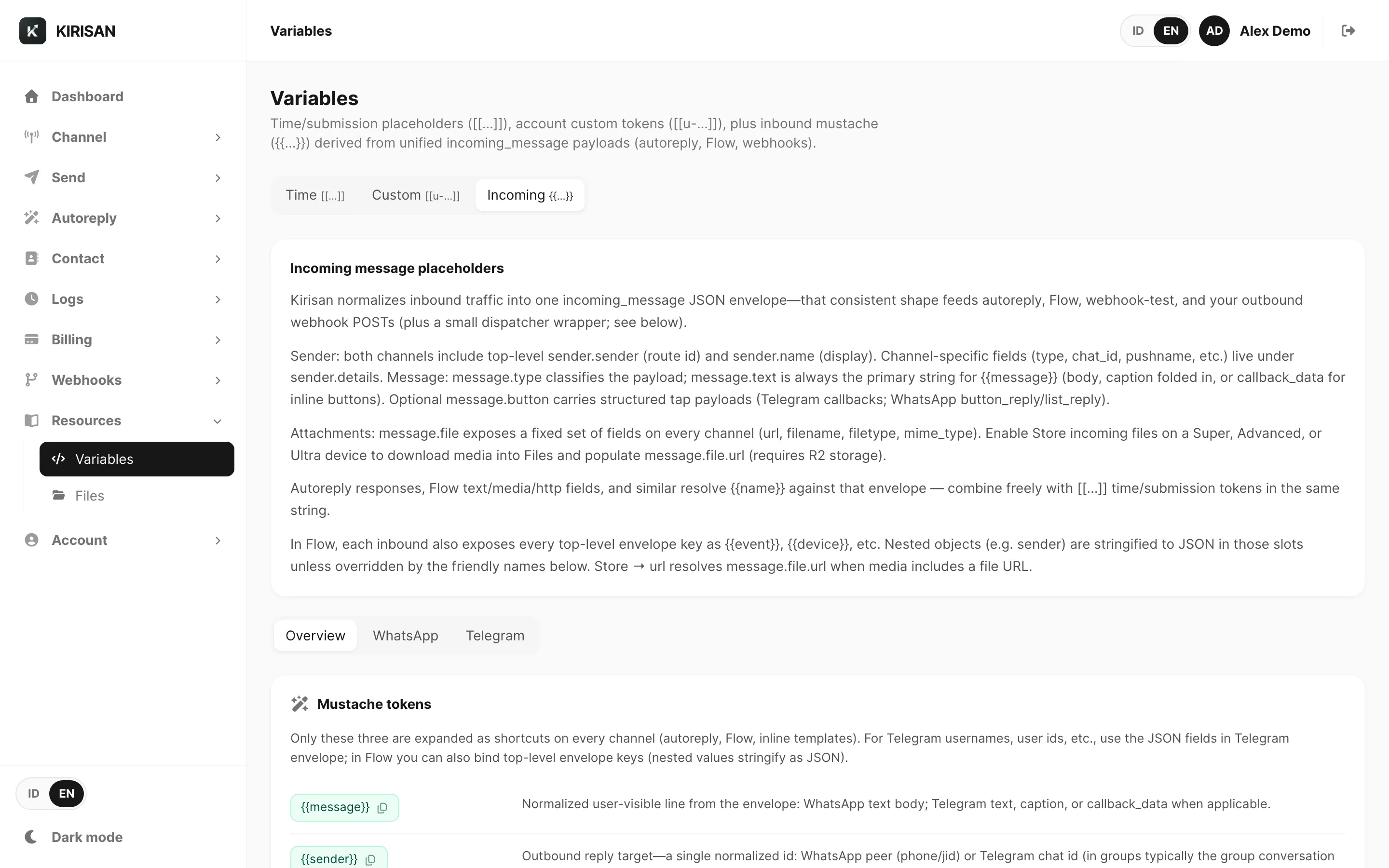
Contoh data ditampilkan.
Sub-tab:
| Sub-tab | Isi |
|---|---|
| Overview | {{message}}, {{sender}}, {{name}}; kunci top-level Flow; ekstra webhook HTTP |
| Referensi field WhatsApp lengkap | |
| Telegram | Referensi field Telegram Bot API lengkap |
Pintasan mustache (semua channel)
| Token | Arti |
|---|---|
{{message}} | Baris utama yang terlihat pengguna — teks body, caption, atau callback data |
{{sender}} | Id target balasan — peer WhatsApp atau chat id Telegram |
{{name}} | Nama tampilan setelah normalisasi |
Di Flow, setiap kunci envelope top-level ({{event}}, {{device}}, {{channel}}, …) juga tersedia. Objek bersarang di-stringify sebagai JSON kecuali diganti oleh nama ramah di atas.
Untuk bentuk JSON webhook outbound lengkap, lihat Payload pesan masuk dan Webhooks → Test.
Di mana placeholder bekerja
- Template WhatsApp, WABA, dan Telegram
- Template email
- Autoreply, Flow, dan respons spreadsheet
- Kampanye dan pengiriman terjadwal (pipeline substitusi yang sama)
Template WABA memakai parameter Meta {{named}} hanya di teks pesan. Jika Anda mengetik [[dow]] di body, Kirisan menghapusnya dan menampilkan peringatan — letakkan [[dow]], [[date-…]], atau [[u-…]] di sample values sebagai gantinya; Kirisan menyelesaikannya ke teks literal sebelum review Meta. Lihat Template WABA → Variables and sample values.
{{variables}} per penerima dari Send → Send atau Send API tetap menimpa default template untuk penerima tersebut — gunakan token custom [[u-…]] jika Anda perlu konstanta yang sama di mana-mana.
Terkait
- Files — media host untuk template dan lampiran autoreply
- Webhooks — konfigurasi endpoint di dashboard
- Payload webhook — JSON yang dikirim ke URL HTTPS Anda
- Send → Send — field merge per penerima di samping template