Ringkasan channel
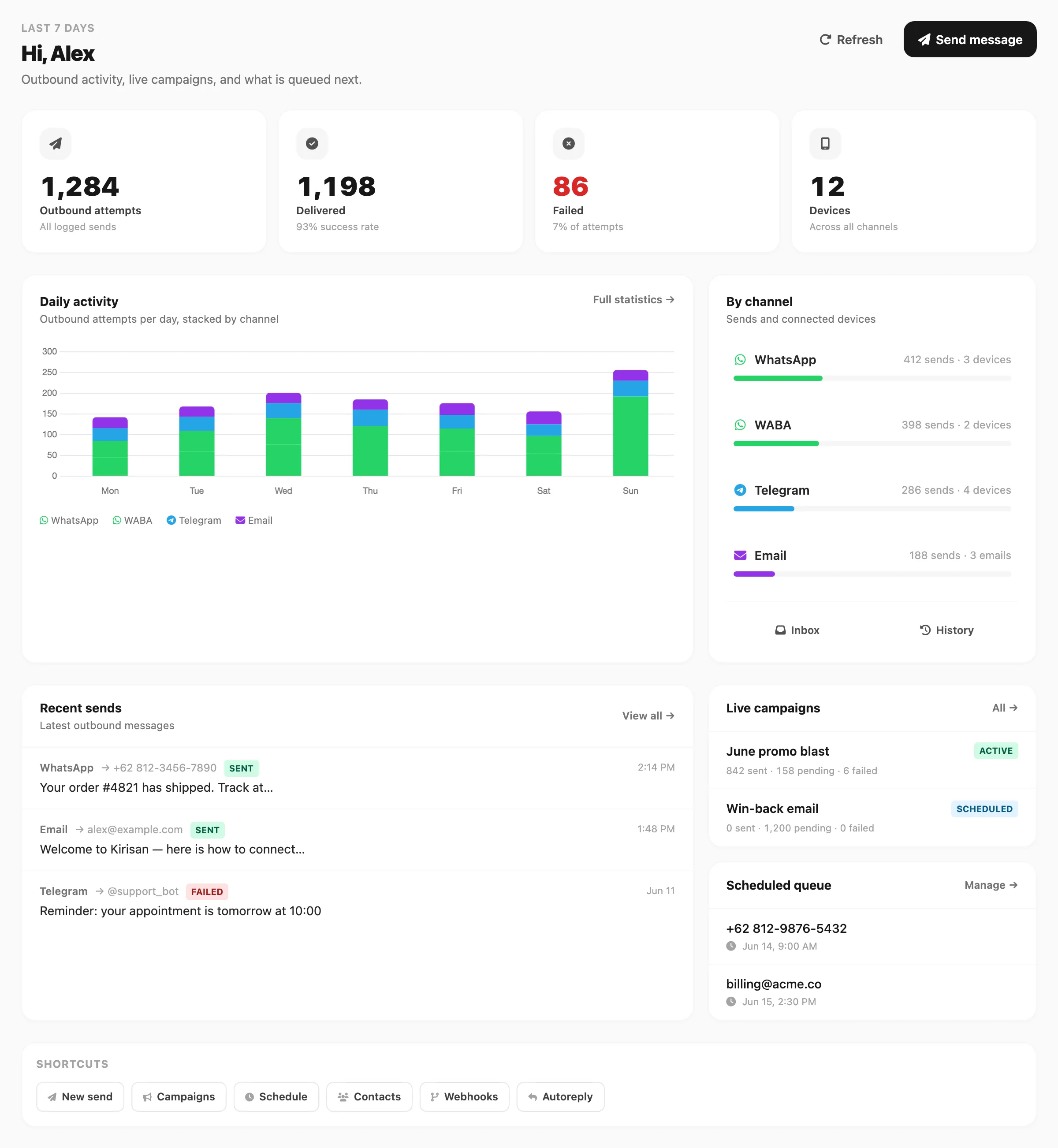
Data sampel ditampilkan.
Channel yang didukung
| Channel | Menu sidebar | Penggunaan umum |
|---|---|---|
| Channel → WhatsApp | Pesan bisnis lewat device yang terhubung (via Fonnte) | |
| WhatsApp Cloud API (WABA) | Channel → WABA | Nomor Cloud API Meta dan template |
| Telegram | Channel → Telegram | Pesan berbasis bot |
| Channel → Email | Email transaksional dan massal |
Setiap channel memiliki halaman koneksi sendiri (Devices untuk WhatsApp, WABA, dan Telegram; Domains dan Emails untuk email), plus Templates (jika berlaku), Logs, Inbox (WhatsApp, Telegram, WABA), dan Statistics sebagai item terakhir di menu channel.
Slot gratis aktif (Telegram, WABA, Email)
Di free tier, Telegram, WABA, dan Email hanya boleh punya satu target pengiriman aktif per channel sekaligus:
| Channel | Tempat mengalihkan | Dokumentasi |
|---|---|---|
| Telegram | Aksi bintang di Channel → Telegram → Devices | Telegram devices |
| WABA | Aksi bintang di Channel → WABA → Devices | WABA devices |
| Aksi bintang di Channel → Email → Domains | Email domains |
Device atau domain gratis yang diparkir tidak bisa mengirim sampai Anda mengalihkan slot. Target gratis aktif hanya boleh diganti paling banyak sekali setiap 7 hari. Upgrade ke paket berbayar di Billing → Order menghapus target tersebut dari slot gratis.
WhatsApp memakai penagihan Fonnte per device — lihat WhatsApp devices.
Hubungkan channel pertama Anda
Pilih channel yang cocok dengan audiens Anda:
- WhatsApp — Devices, token, templates, logs, inbox, statistics
- WABA — Device Cloud API, templates, inbox, statistics
- Telegram — Devices (bot), templates, inbox, logs, statistics
- Email — Domains, senders, templates, logs, suppression, statistics
Setiap bagian channel di sidebar dokumentasi mencerminkan Channel → channel di dashboard, dengan halaman untuk setiap sub-menu (Devices, Token, Templates, dan seterusnya).
Setelah terhubung, kirim tes dari Send → Send dan pastikan muncul di Logs channel tersebut.
Blok bangunan bersama
Kontak, grup, variabel, dan file berfungsi di semua channel — tentukan sekali di Contact → All Contacts, Contact → Groups, dan Resources, lalu gunakan kembali di pengiriman atau aturan autoreply mana pun.