Plans and quota
Open Billing → Order to buy plans, or check credits on your device or domain row under Channel.
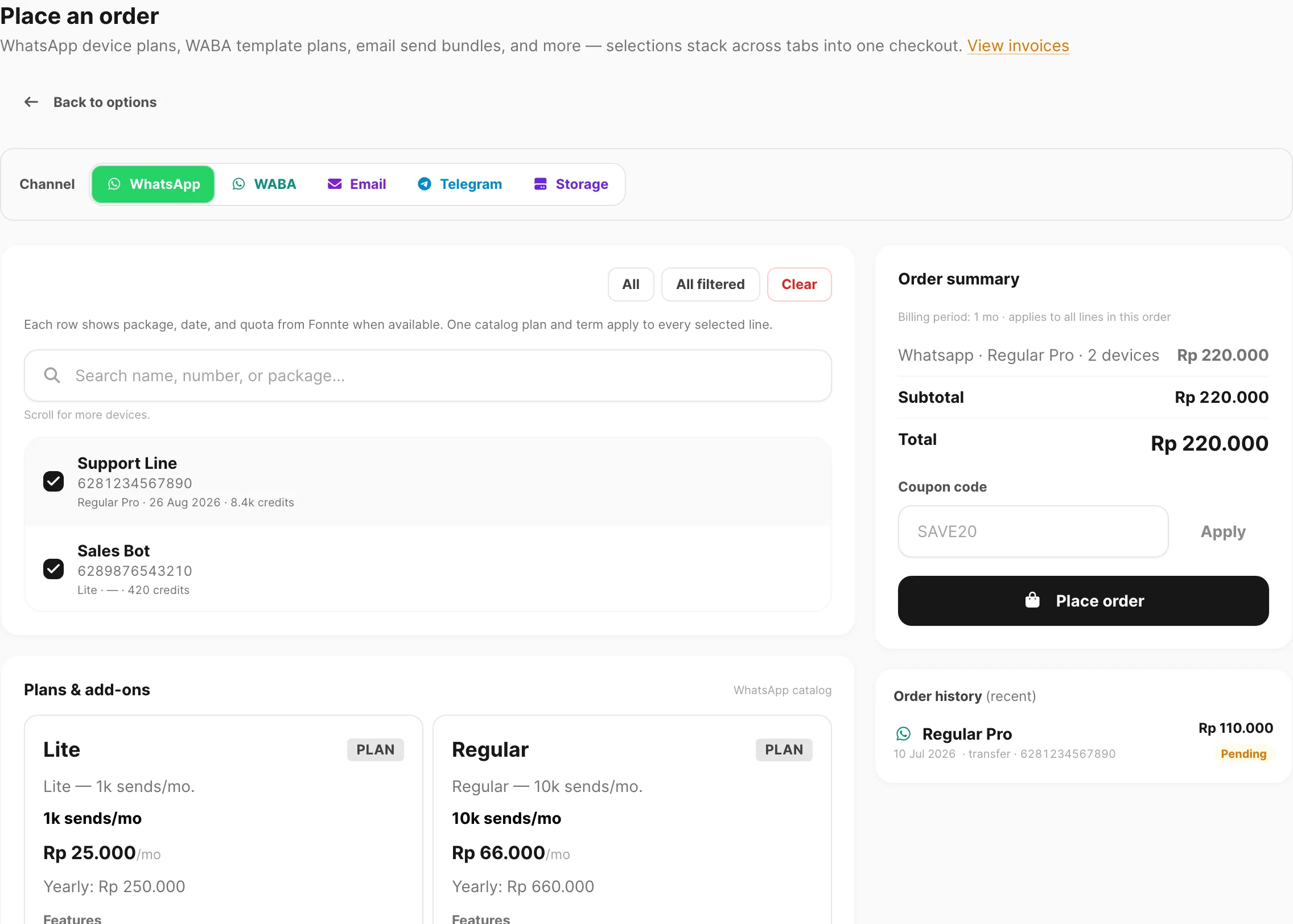
Sample data shown.
What this page is for
Kirisan messaging products — WABA, Telegram, and Email domains — share the same quota model. Each device, bot, or domain has credits (send quota), a plan (free or paid), and an expiry date. This page explains how those values change when you create a target, place an order, renew, switch plans, or run out of time.
Storage and WhatsApp (Fonnte) use different rules — see Storage on Place an order and WhatsApp devices.
Free tier (every new device or domain)
When you add a WABA number, Telegram bot, or email domain, it starts on the free plan:
| Item | Value |
|---|---|
| Credits | 1,000 sends |
| Validity | 30 days from creation (or from last free refill) |
| Plan badge | Free — green if active, red if parked |
Free tier applies Kirisan branding on outbound messages where your channel supports it.
One active free slot per channel
Only one free WABA number, one free Telegram bot, and one free email domain can send at a time:
| Badge | Meaning |
|---|---|
| Green Free | Active free slot — this target can send |
| Red Free | Parked — on free tier but cannot send until you activate it |
- The first device or domain you add on a channel becomes the active free slot automatically.
- Switch the slot with Use as active free device (or Use as active free domain) on a parked row — at most once every 7 days.
- Upgrading to a paid plan on Billing → Order removes that target from the free slot automatically.
Paid plans
Buy plans on Billing → Order for WABA, Telegram, or Email. Catalog tiers (Lite, Regular, Master, and others) set monthly send quota and price — see the plan table on Place an order.
After payment is verified:
| Field | What you get |
|---|---|
| Plan | The tier you purchased |
| Credits | Plan quota for the billing period (yearly orders grant 12× the monthly quota per year unit) |
| Expires | End of the paid term — 30 days per monthly unit, 365 days per yearly unit (multiplied by Billing period length when you order 3 months, 6 months, etc.) |
Each successful outbound send on that target uses 1 credit, unless the plan is unlimited (Master / Ultra on supported channels).
Check Credits and Expires on the device or domain table, or click the Plan badge for a summary popup.
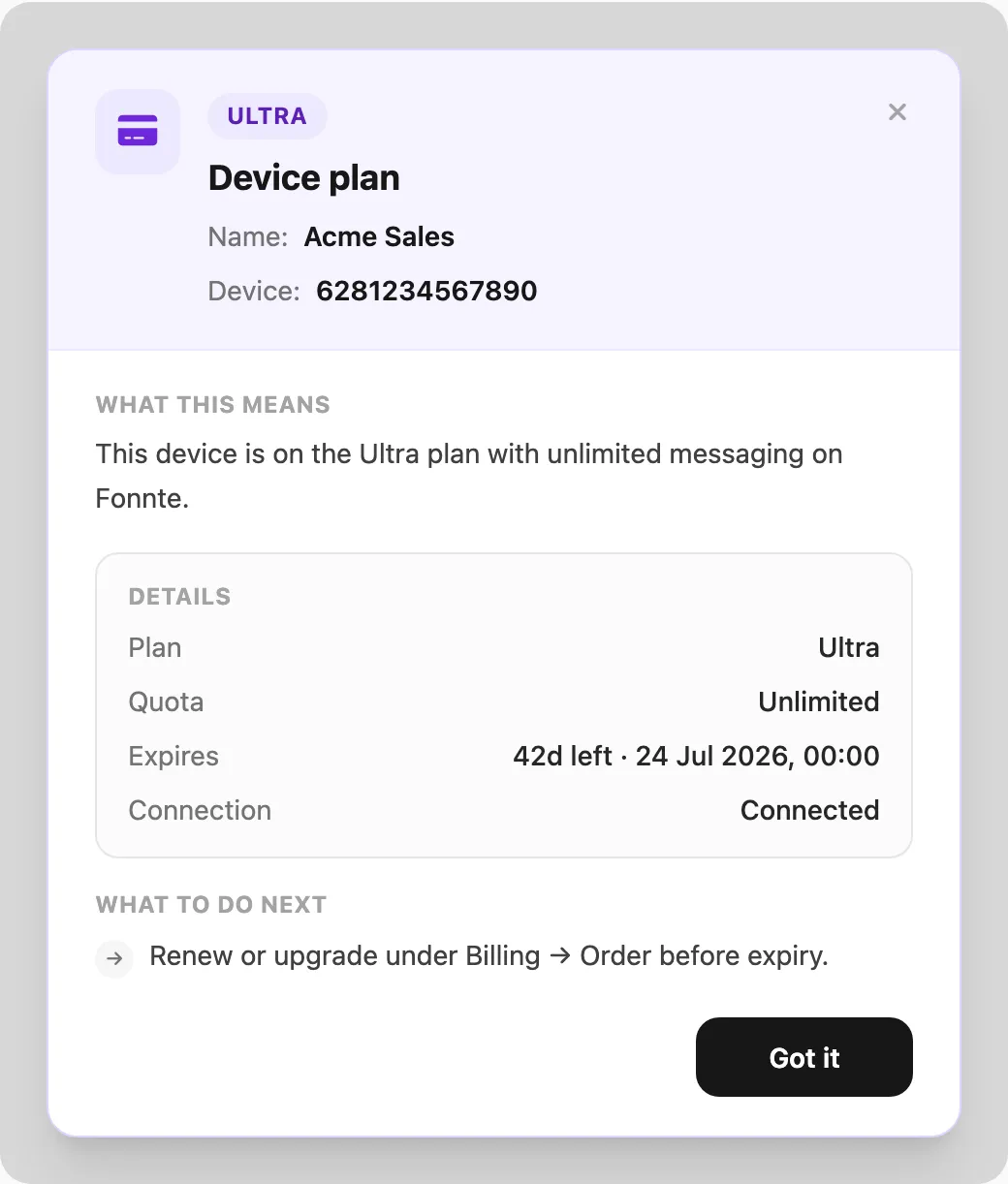
Sample data shown (WhatsApp device plan popup; WABA, Telegram, and Email use the same pattern).
Renewing the same plan (accumulation)
While your same paid plan is still active (not expired), buying that plan again adds to what you already have:
| Renewal (same plan, still active) | |
|---|---|
| Credits | Added to your current balance |
| Expiry | Extended from your current expiry date — not reset to today |
Example: Regular with 3,000 credits left and 10 days remaining → you order Regular for 1 month → credits become 3,000 + 10,000 and expiry moves forward 30 days from the old expiry.
Checkout and invoice previews show Currently expires … → expected active until … for this case.
Changing plan mid-subscription
Buying a different plan while a paid plan is still active ends the current subscription immediately:
| Plan change (different tier, still active) | |
|---|---|
| Credits | Replaced with the new plan’s full quota — leftover credits are not carried over |
| Expiry | Reset from today for the new billing period |
Example: Lite with 800 credits and 20 days left → you order Regular → you receive Regular’s full quota and a new 30-day term starting today. The Lite balance and remaining days are discarded.
There is no partial refund for unused credits or time when switching tiers.
After a plan expires
Paid plan expired
When a paid term ends:
- The target returns to the free plan with 1,000 credits and a new 30-day window.
- If you have no other active free target on that channel, this one becomes the active free slot.
- If another free target is already active, this one stays parked (red Free) until you switch the slot.
Free plan expired (active slot only)
When the active free target’s 30-day window ends and credits are exhausted, Kirisan refills it to 1,000 credits and starts another 30-day period automatically.
Parked free targets do not refill until you make them the active slot.
Order → payment → applied plan
End-to-end flow:
- Billing → Order — pilih channel, target(s), plan, and billing period → Place order (optional coupon). Channel coupons use Redeem a coupon / Checkout with coupon.
- Payment — if Total is above Rp 0, open Billing → Checkout and pay by bank transfer (exact amount including unique code). Coupon orders with a balance due must be paid within 15 minutes. If a coupon makes Total = Rp 0, Kirisan skips checkout and approves immediately.
- Verification — Kirisan marks the invoice success (manual for transfer; instant for free coupon orders; deposit may apply instantly for some email orders).
- Fulfillment — credits, plan, and expiry update on each target in the order.
Track status on Billing → Invoice. Download PDFs from Billing → Receipts after payment (or right away for free coupon orders).
Data retention
Kirisan automatically removes message rows after a fixed window based on your account plan. Stored attachments stay unless you delete them (or use Files → Cleanup orphans).
| Account plan | Inbox / inbound messages | Send audit logs | Stored inbound attachments |
|---|---|---|---|
| Free (no active paid messaging or email plan) | 7 days | 7 days | Permanent (quota applies) |
| Paid (any non-Free WhatsApp, WABA, Telegram, or email plan) | 30 days | 30 days | Permanent (quota applies) |
- Inbox covers Logs → Inbox (WhatsApp, WABA, Telegram) and Email → Inbox.
- When an inbox row is purged, linked files keep their bytes but lose the inbox link — clean them up under Files.
- Storage add-on: if you do not renew, files stay inaccessible for 14 days, then are deleted — see Files → If storage is not renewed.
Sending blocked?
| Message / state | Typical cause |
|---|---|
| Out of credits | Credits is 0 — renew on Billing → Order or wait for free refill if eligible |
| Free tier inactive | Target is red Free (parked) — activate the slot or upgrade to paid |
| Plan expired | Paid term ended — target may be on free tier or waiting for refill; check Plan badge |
| WABA Meta fees | Separate from Kirisan credits — see WABA billing |
Related
- Place an order — buy or renew plans
- Checkout — pay pending invoices
- Invoices — payment status
- Files — inbound attachment retention
- WABA devices — numbers, free slot, and plan badge
- Telegram devices — bots, free slot, and plan badge
- Email domains — domains, free slot, and plan badge
- Pay by bank transfer — step-by-step checkout tutorial