Inbox
Open Logs → Inbox for inbound messages across WhatsApp, WABA, and Telegram — or open a channel inbox for one channel only.
What this page is for
Cross-channel inbound message history — device, sender, message preview, channel, and timestamp — across WhatsApp, WABA, and Telegram in one searchable table.
Email has no inbound inbox here. Outbound sends belong under History.
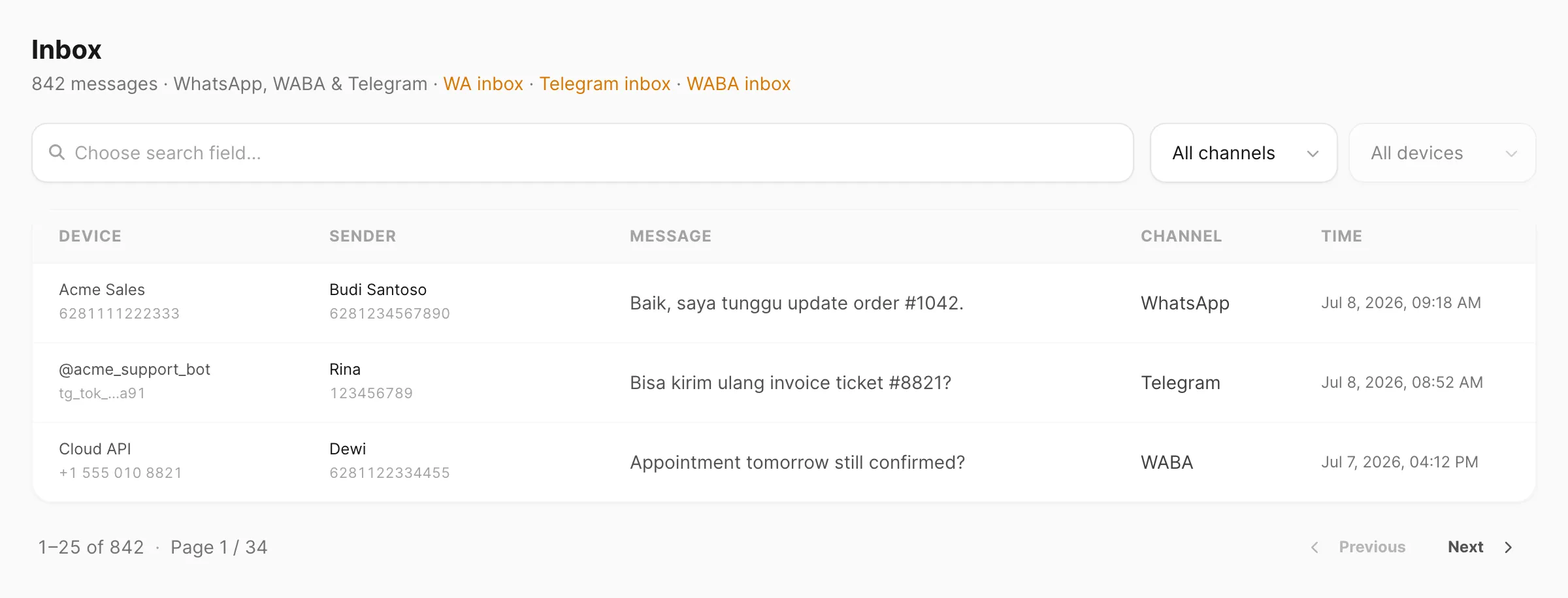
Sample data shown.
Retention
Inbound rows here are kept 7 days on Free accounts and 30 days on paid accounts, then removed automatically. Stored attachments remain in Files (permanent; optional orphan cleanup).
Cross-channel inbox
Logs → Inbox aggregates inbound WhatsApp, WABA, and Telegram messages so you can review customer replies without opening every channel inbox.
Use the Channel filter to narrow to one channel, or use the shortcuts in the page subtitle (WA inbox, Telegram inbox, WABA inbox) to jump to that channel’s dedicated inbox page.
Search and filter
Search is field-based: click the search area first, pick which column to search, then type your query.
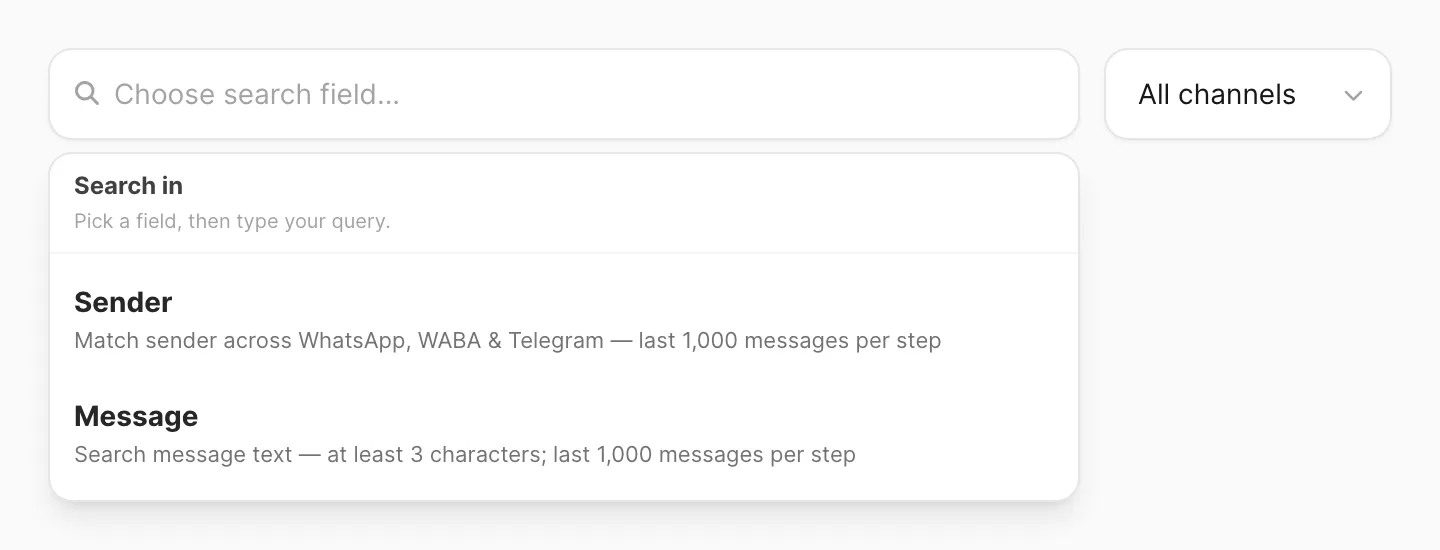

| Filter / control | What it does |
|---|---|
| Search | Sender or Message — see search fields below |
| Channel | All channels, WhatsApp, Telegram, or WABA |
| Device | Filter by receiving device — pick a Channel first (WhatsApp number, Telegram bot, or WABA device) |
| Export CSV | Download matching rows (up to 50,000; respects current filters) |
Search fields
| Search field | Matches | Minimum length |
|---|---|---|
| Sender | Sender name, phone number, or chat id that contains your query | 3 characters |
| Message | Message body text that contains your query | 3 characters |
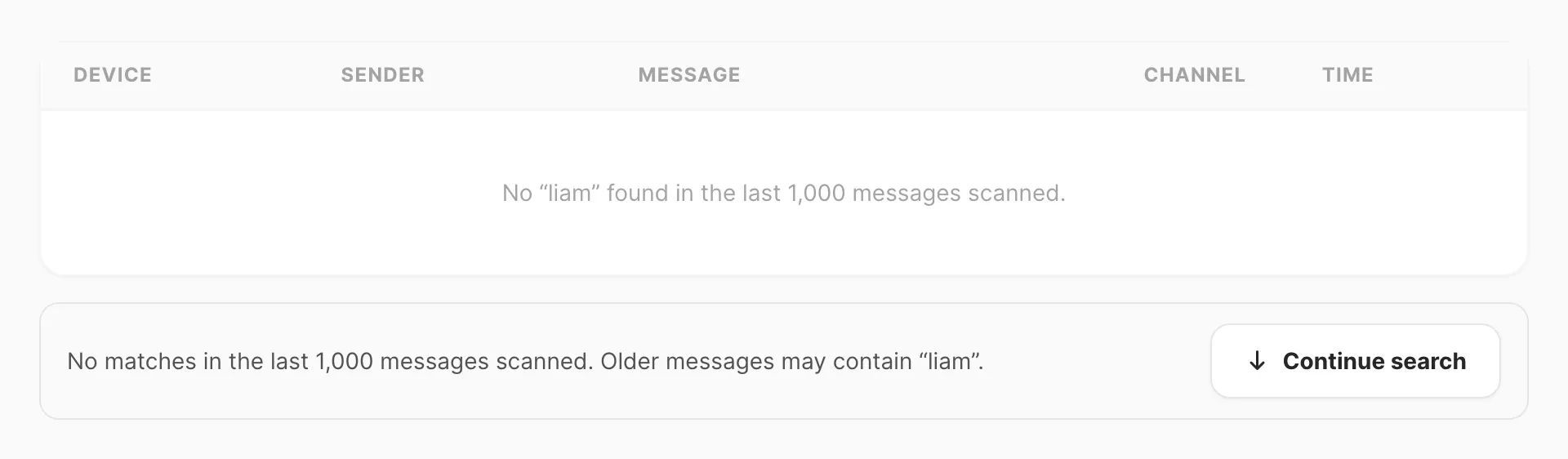
Sender and Message search scan the most recent 1,000 inbound messages per step (respecting Channel and Device). When older messages may still match, Kirisan shows Continue search below the table — same behavior as per-channel inboxes.
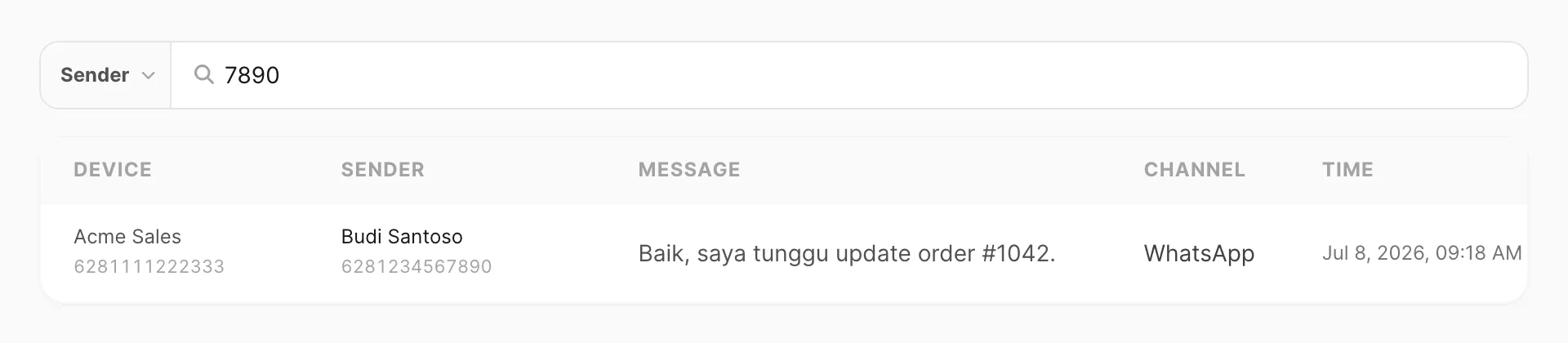
Inbox table
Each row is one inbound message:
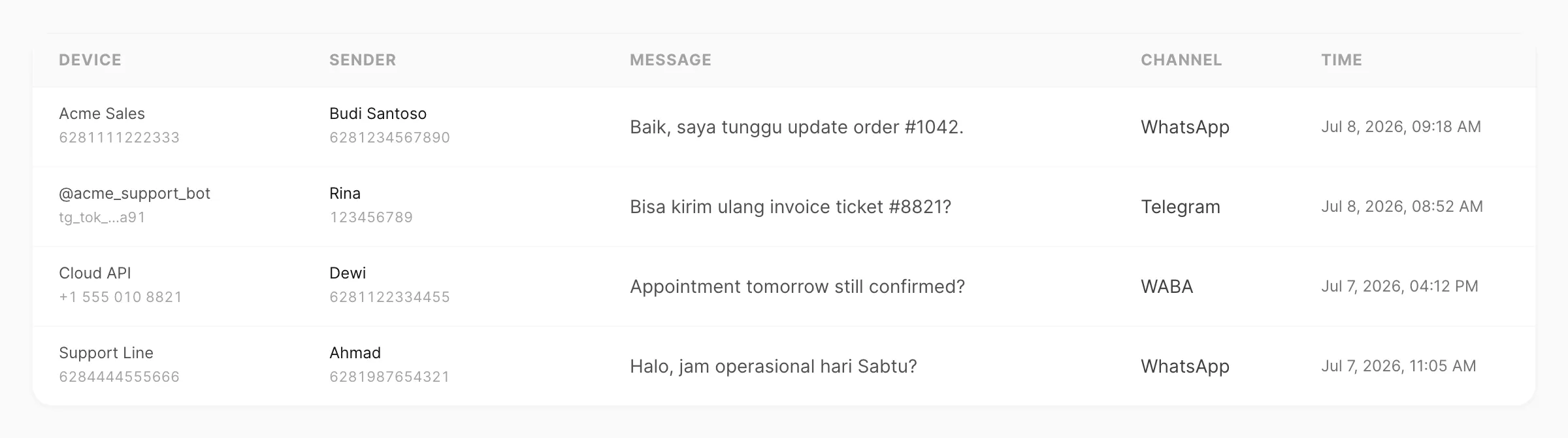
| Column | Meaning |
|---|---|
| Device | Device or bot that received the message — see below |
| Sender | Contact name and number / chat id |
| Message | Truncated preview of the inbound text |
| Channel | WhatsApp, Telegram, or WABA |
| Time | When the message was received |
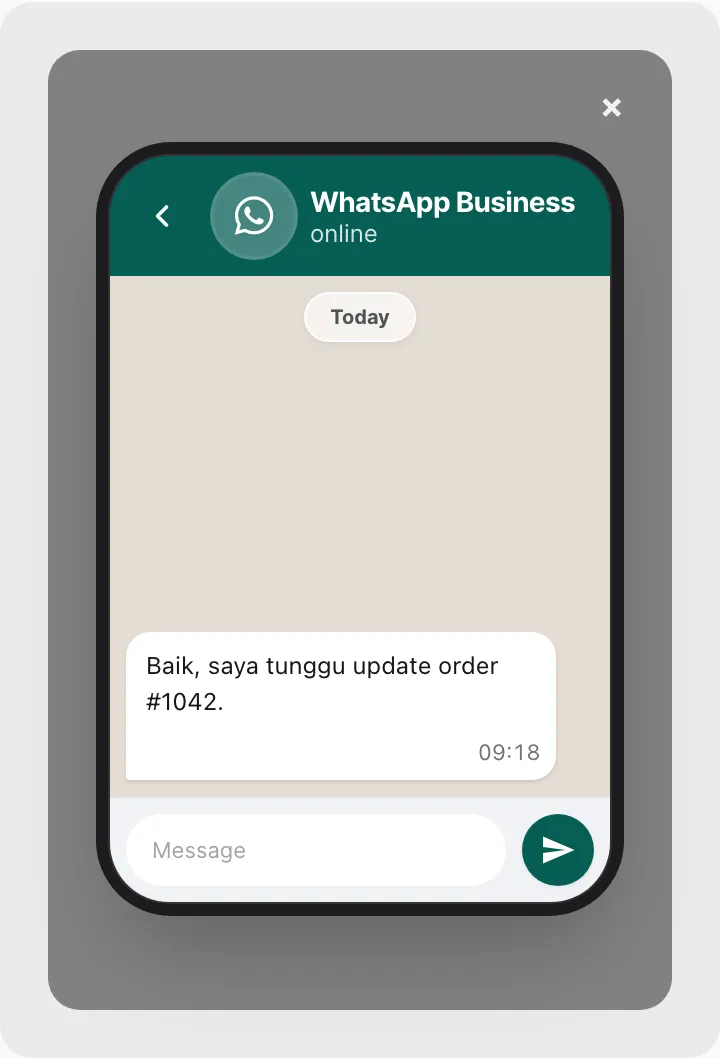
Rows are clickable — Kirisan opens a channel-appropriate message preview (WhatsApp-style or Telegram bubble).
When Sender or Message search scans a batch with no matches but older messages remain, use Continue search:
Device column by channel
| Channel | Device shows |
|---|---|
| Device name + Fonnte number (from Devices) | |
| Telegram | Bot username or name (from Devices) |
| WABA | Display name + Cloud API phone (from Devices) |
Tips
- Filter Channel first, then Device when you need one WhatsApp number, bot, or WABA line.
- Search Sender or Message after narrowing Channel (and optionally Device).
- Per-channel inboxes also offer a Device filter if you work in one channel only.
- Logs → Inbox is read-only. For Reply / Forward / Delete, open a per-channel inbox (WhatsApp, Telegram, or WABA), or use Multics → Inbox for threaded chat.
Per-channel inboxes
Each channel exposes its own searchable inbound page:
| Channel | Sidebar menu |
|---|---|
| Channel → WhatsApp → Inbox | |
| Telegram | Channel → Telegram → Inbox |
| WABA | Channel → WABA → Inbox |
For a threaded live chat across those channels, open Multics → Inbox.
Related
- Multics → Inbox — threaded chat across WhatsApp, Telegram, and WABA
- History — outbound sends across channels (Logs → History)
- Statistics — outbound volume trends (Logs → Statistics)
- WhatsApp inbox
- Telegram inbox
- WABA inbox