WABA inbox
Open Channel → WABA → Inbox.
What this page is for
Paginated inbound message history for WhatsApp Cloud API numbers: which number received the message, sender name and phone, message preview, and timestamp.
Use this page to review customer replies, spot patterns before tuning autoreply, or confirm that inbound Cloud API traffic reaches the right number.
For a threaded chat view (conversations with reply in one timeline), use Multics → Inbox.
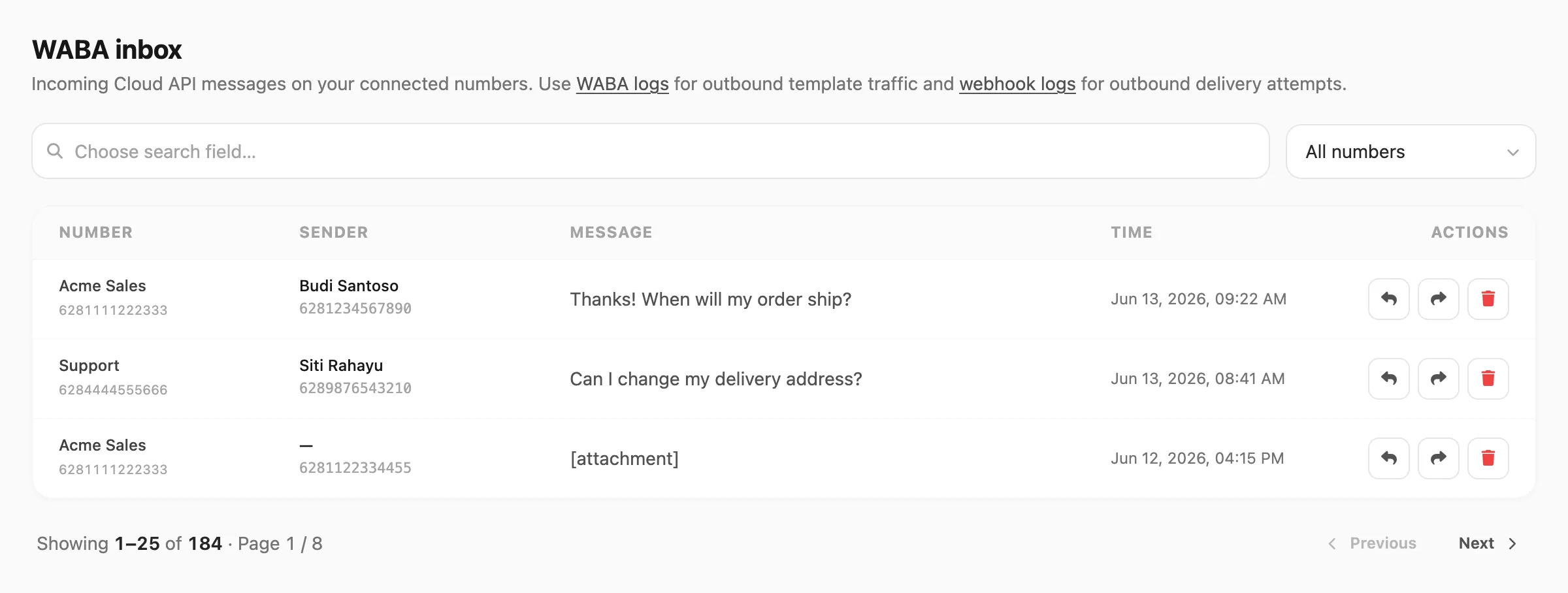
Sample data shown.
Messages are kept 7 days on Free accounts and 30 days on paid accounts — see Plans & quota → Data retention.
Search and filter
Search is field-based: click the search area first, pick which column to search, then type your query.
| Filter | What it does |
|---|---|
| Number / device filter | All numbers or one connected Cloud API number |
| Export CSV | Download matching rows (up to 50,000; respects current filters) |
Search fields
| Search field | Matches | Minimum length |
|---|---|---|
| Sender | Sender name or number that contains your query | 3 characters |
| Message | Message body text that contains your query | 3 characters |
Sender and Message search scan the most recent 1,000 inbound messages per step. When older messages remain, use Continue search.
Inbox table
Each row is one inbound Cloud API message.
| Column | Meaning |
|---|---|
| Number | Connected WABA number that received the message |
| Sender | Contact name and WhatsApp number |
| Message | Truncated preview of the inbound text |
| Time | When the message was received |
Rows are clickable — Kirisan opens a message preview. From the preview or row actions you can Reply, Forward, or Delete.
Related
- Multics → Inbox — threaded chat view in the dashboard
- Logs → Inbox — WhatsApp, WABA & Telegram together
- WABA devices
- WABA logs