Get your keys
2 min read
Every successful API send needs two credentials. Mixing them up is the most common first error: the Bearer token is your account; the key in keys is the device that should deliver the message.
1. Device (channel) key
This identifies which WhatsApp device, Telegram bot, WABA number, or email sender sends the message. You put it in the JSON body under keys (for example keys.whatsapp.token).
Only include channels you are actually sending on. Each key must belong to the same account as your Bearer token, or Kirisan returns 403.
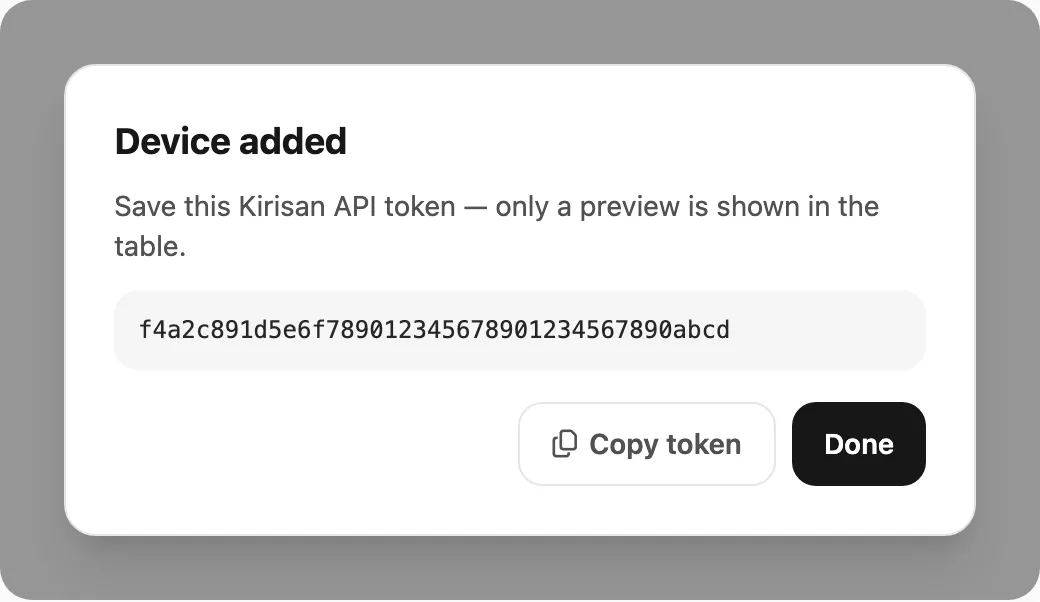
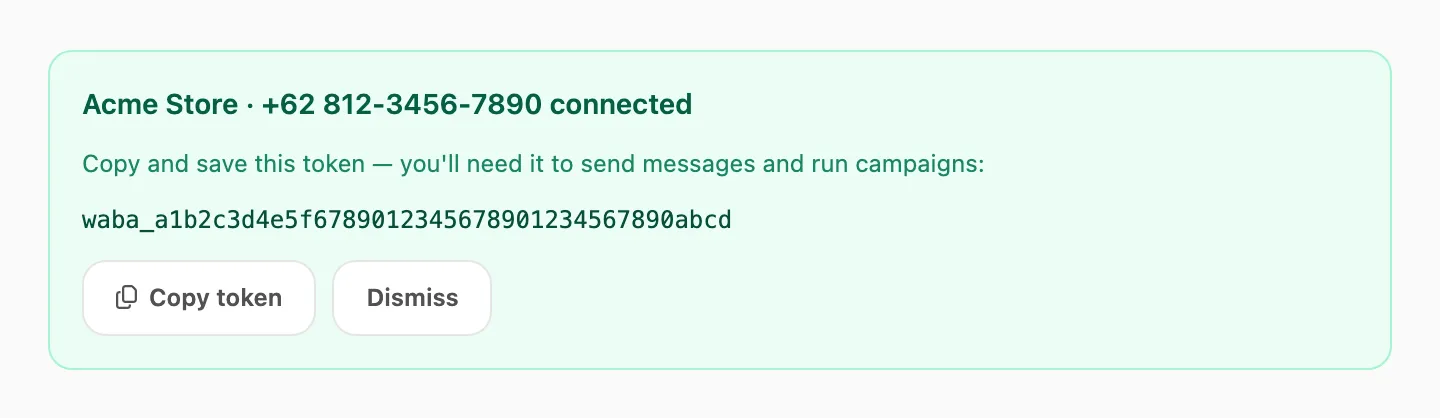
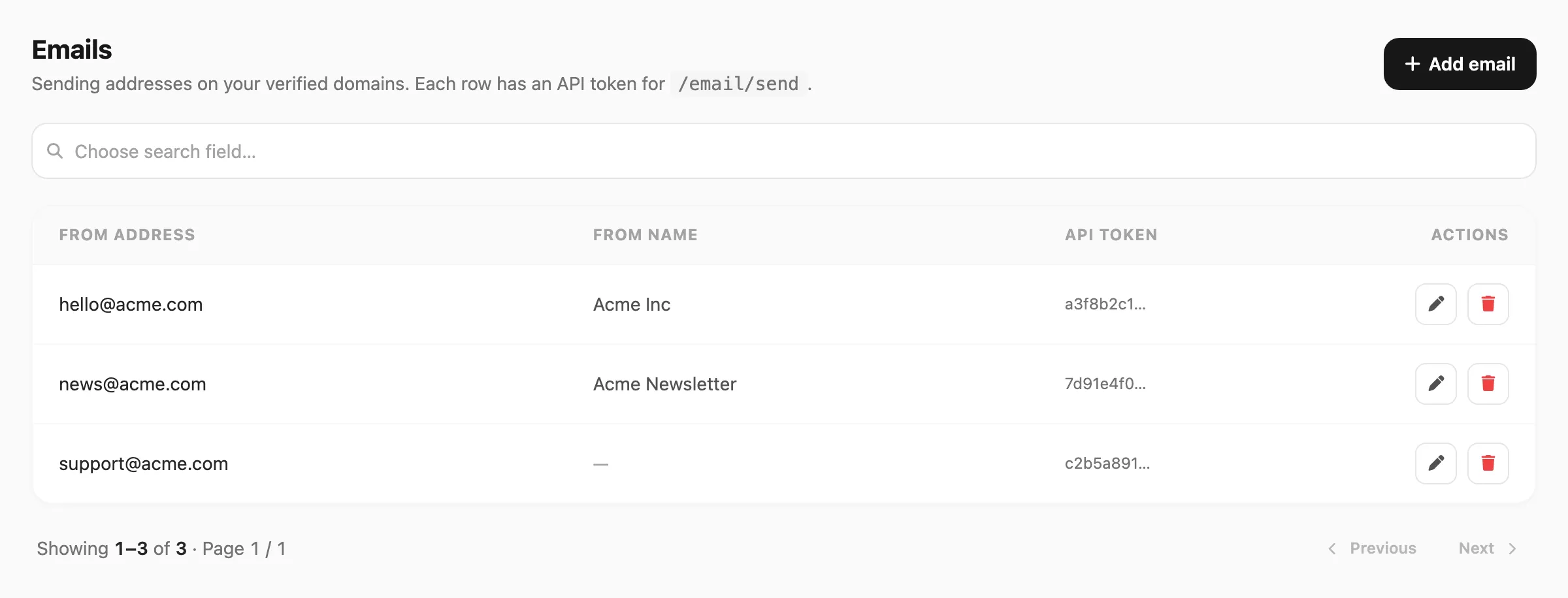
| Channel | What to copy | Dashboard |
|---|---|---|
| Device token (when the device is connected) | Devices | |
| Telegram | Kirisan bot / device token | Devices |
| WABA | Number API token | Devices |
| Per-sender API token | Emails |
Docs: Authentication → Channel keys
2. Account API token
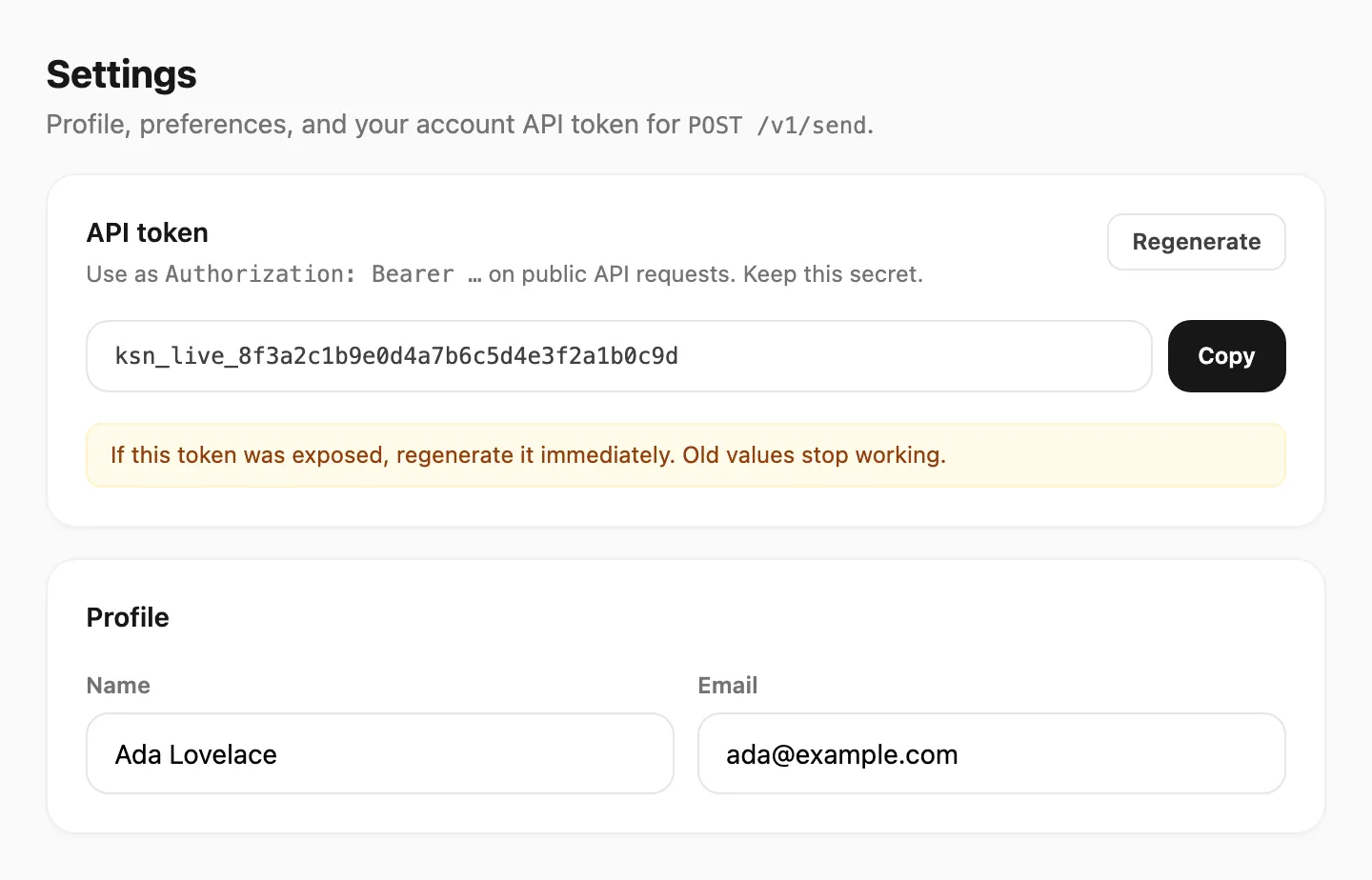
This identifies your Kirisan user account. Send it on every request:
Authorization: Bearer YOUR_ACCOUNT_TOKENCopy it from Account → Settings. If it was ever exposed in a screenshot, chat, or repo, regenerate it — the old value stops working.
- Docs: Authentication → Account token
- Dashboard: Settings
Security
- Keep tokens on the server only — not in mobile apps or public frontend bundles for production traffic.
- Treat a leaked account token like a password.
- Rotate channel keys if a device is shared or decommissioned.