Multics agents
2 min read
Open Multics → Agents.
What this page is for
Agents are people who can claim and handle chats in Multics → Inbox. Every team member (sub-user) under your account is an eligible agent. The account owner also appears in the list and can take or be assigned chats.
Invite and manage logins from Account → Team. This page is a Multics view of the same people.
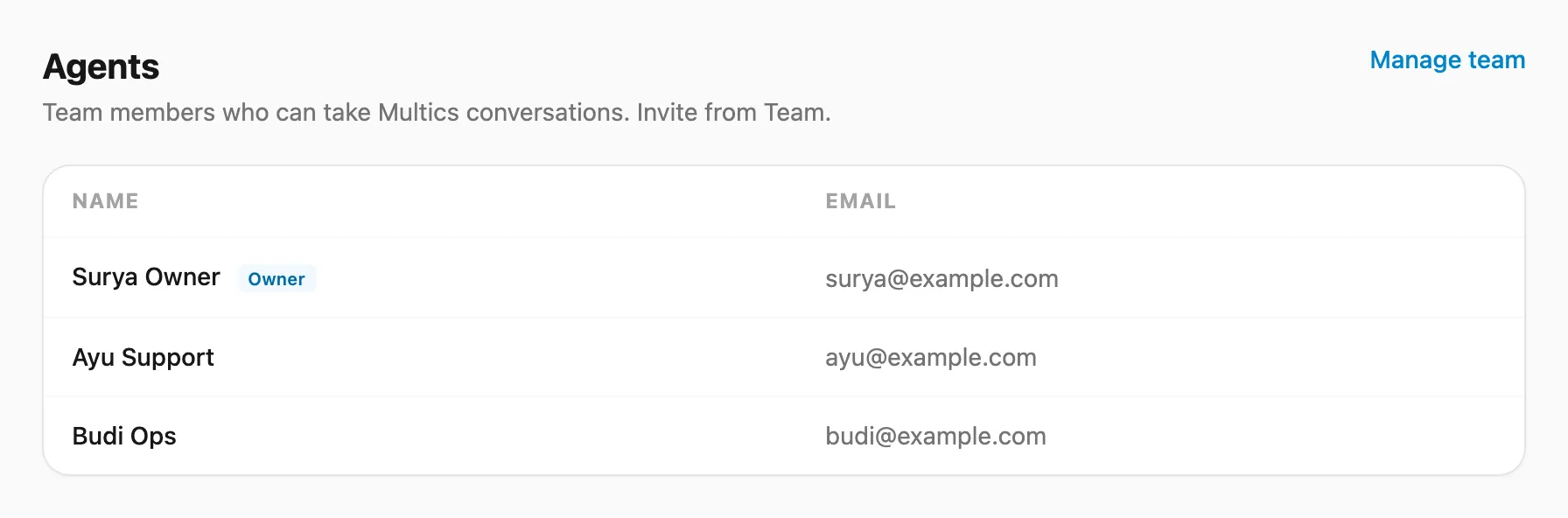 Sample data shown.
Who can open it
| Role | Access |
|---|---|
| Account owner | Full list |
| Team member | Read-only list when Multics Agents is allowed in their feature map |
What you see
| Column | Meaning |
|---|---|
| Name | Display name (owner is labeled) |
| Sign-in email |
There is no separate “enable as agent” switch in this release — if someone is on your team, they can take chats (subject to inbox permissions and claim rules).
Related
- Team — invite members and set permissions
- Multics inbox — take, assign, transfer chats
- Multics stats — taken / replies / transfers