2 min read
Channel → Email covers verified domains, sending addresses, inbound Inbox, templates, and deliverability tools.
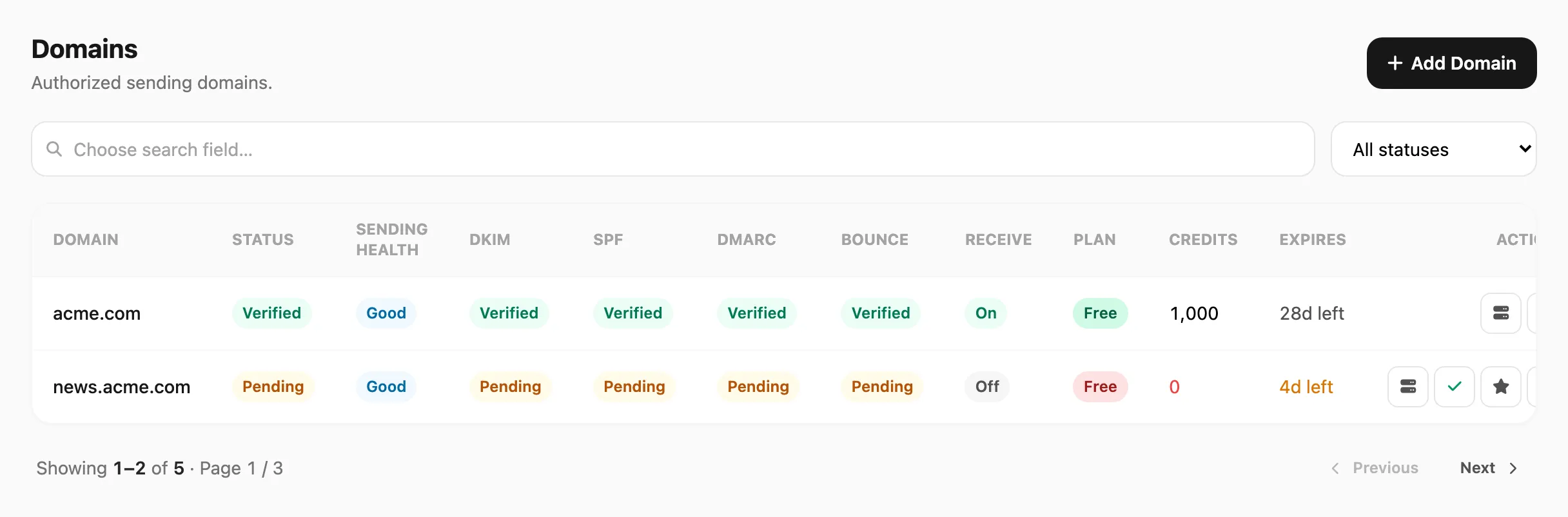
Sample data shown.
| Doc | Sidebar menu |
|---|---|
| Domains | Channel → Email → Domains |
| Emails | Channel → Email → Emails |
| Templates | Channel → Email → Templates |
| Logs | Channel → Email → Logs |
| Inbox | Channel → Email → Inbox |
| Statistics | Channel → Email → Statistics |
| Suppression | Channel → Email → Suppression |
Start with Domains, then Emails, then send a test from Send → Send.
Three kinds of send
Every email goes into one kind. Kirisan chooses it automatically — you do not pick a separate kind menu.
| Kind | Where it comes from | What you see |
|---|---|---|
| Transactional | A template whose Type is transactional | Sends immediately from Send → Send, campaigns, or the API |
| Marketing | A template whose Type is marketing | From the dashboard: Kirisan sends. From the API: a queued response, then a Logs row after it sends |
| Raw | API with no template (subject + body) | API only. Dashboard Send always uses a template |
If Sending health shows Blocked, a small label under the badge (transactional, marketing, or raw) tells you which kind stopped. Other kinds on the same domain can still send. See Domains.